www.defa.com
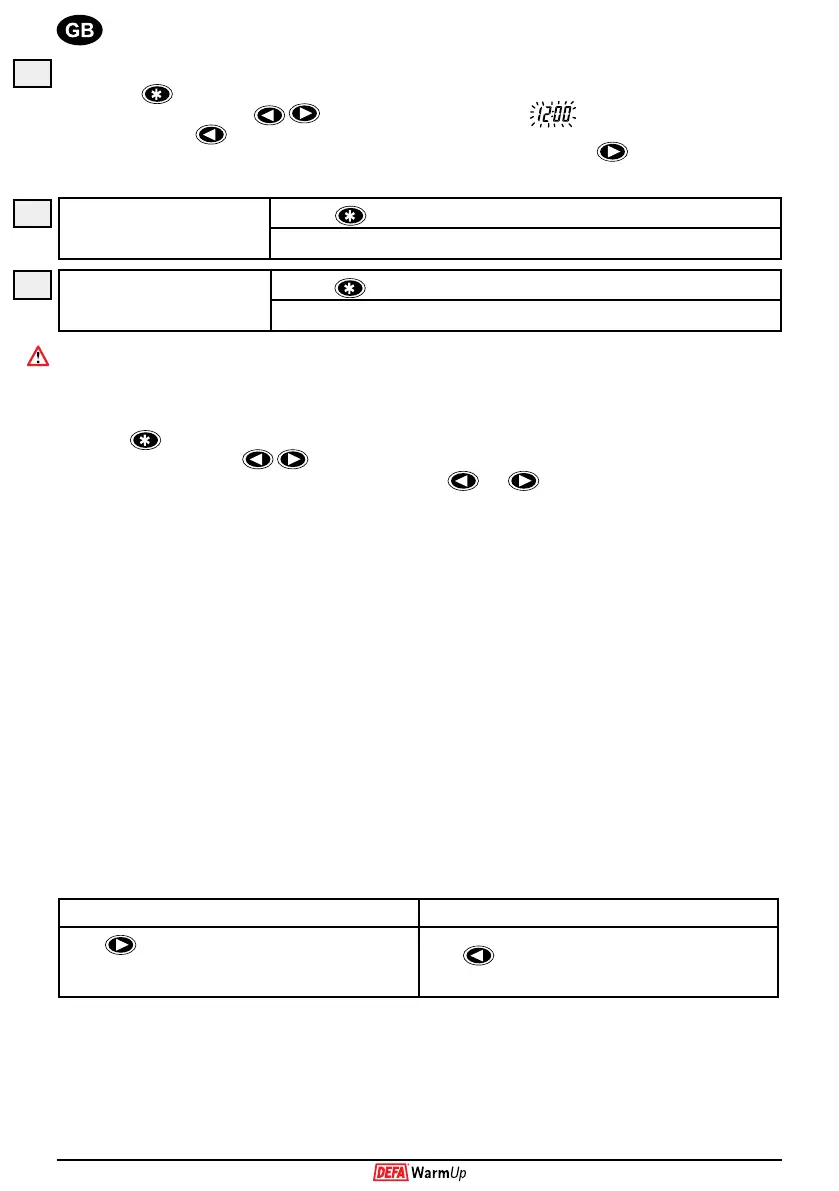
Programming the time.
1. Press until the display shows the time.
2. Press both arrow buttons
simultaneously. Time starts to blink .
3. For each hit on
time is set back by 1 minute. If the button is held down, the time is set back 2 minutes per
second for 5 seconds. After this the step is increased to 10 minutes per second. Use
in the same way to set
the time forward. To save the set time – wait for 5 seconds until the blinking stops.
Programming drive away
time I.
1. Press
until the display shows Drive away time I.
2. Follow the instruction for setting the time from point E 2.
Programming drive away
time II.
1. Press
until the display shows Drive away time II
2. Follow the instruction for setting the time from point E 2
If you only want one drive away time, program I and II so that they coincide.
When the control unit switches on the DEFA WarmUp, the ’On’ symbol blinks on the display.
Temperature calibration.
The temperature sensor is mde for optimal precision. If necessary you can calibrate the temperature:
1. Push until the display shows the temperature.
2. Push both arrow buttons at the same time.
3. Adjust the temperature +/- 3 degrees using the arrow button and .
0-condition warning.
The control unit is equipped with a 0-condition warning, which will warn you when the vehicle enters an area where slippery
conditions are likely. An outside sensor must be tted for this function to work. If the vehicle enters an area where the
temperature sinks below 4ºC or raises past - 4ºC, the light on the display and the buttons blink rapidly for approximately 6
seconds. At the same time the temperature is shown for 15 seconds. The control unit can not be otherwise used when this
ice-warning is active.
Starting the engine.
When the engine is started any remaining on-time is erased and the ”On” symbol in the display is extinguished. The control
unit carries out an information sequence that displays: Battery voltage before start, charging voltage after start and outside
temperature (approximately 2 seconds for each function). At the end the control unit returns to the function selected before
the information sequence.
Switching off the engine.
When the engine is switched off, the control unit carries out an information sequence showing drive away time I and drive
away time II before returning to the function selected before the information sequence.
Futura - Display illumination.
The illumination of the control unit display will always be turned on when one of the buttons is pressed. The display will
be illuminated for approximately 1 minute after the last button is pressed. Depending on the usefulness of the information
displayed by the control unit, the illumination can be turned ON or OFF during driving.
Display light turned on during driving Display light turned off during driving
Press
for up to 3 seconds. The display light will blink
to conrm that the light will come on every time the engine
is started.
Press
for up to 3 seconds. The display light will blink to
conrm that the light will be turned off during driving.
E
F
G


 To Next Page
 Loading...