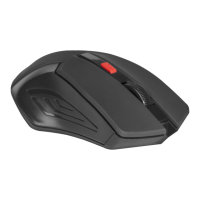
Use only one finger
Vertical scroll is performed by moving
one finger on the working surface of
the mouse
Wireless Multisensor
Optical Mouse
T-sense 1000
The horizontal scrolling is performed by
horizontal moving one finger on the working
surface of the mouse.
5. Mouse switching on and off
To save the energy the mouse may be switched off after
using. To do it move the switch to “o” position .
6. Features and Specifications
Technical Specifications:
Resolution: 1000 dpi
Connectivity: USB
Operation range: 10 meters
Radio interface: 2.4 GHz
Available radio channels: 16, auto search
Power supply: 2 x AAА batteries
Mouse size: 91x54x21 mm
Compatibility: Windows 2000/XP/Vista/7 and Mac OS
If any question please call to our service center. You can find the service center
addresses in the “Support” section on the web page www.defender-global.com
This device works according to the part 15 of the FCC rules. This device is tested
and meets the requirements for digital devices of class B according to part 15 of the
FCC commission the rules.
Operation manual
Dear user,
Thank you for choosing the Defender product! We hope that with new multisensor
mouse the interaction with the computer will become easier and more convenient.
Before setting to work, please, read this manual.
It is not recommended to us e the mouse on
mirror surface or transparent glass. Do not try to
disassemble the product. Do not try to repair
the mouse by yourselves. To clean the mouse
use dry and clean cloth.

 Need help?

 To Next Page
 General