EasyManua.ls Logo

Definitive Technology PowerMonitor 500 - User Manual

Definitive Technology PowerMonitor 500
12 pages
Print Icon
To Next Page IconTo Next Page
Loading...
Congratulations
Congratulations on your purchase of a Definitive Technology
PowerMonitor Audio/Video Loudspeaker System. This revolu-
tionary loudspeaker utilizes state-of-the-art components (cast-
basket homopolymer-coned bass-midrange drivers, moving coil
ferrofluid-cooled pure aluminum dome high frequency radiator,
long excursion subwoofer, Infinite Power Source™ amplifier,
uniphase crossover networks, etc.), a non-resonant monocoque
cabinet, low diffraction construction and complete magnetic
shielding, in order to achieve the most lifelike sound possible in
your listening room for many years to come.
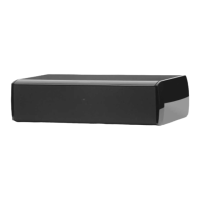
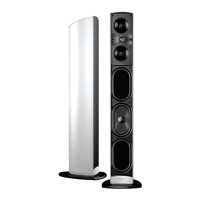
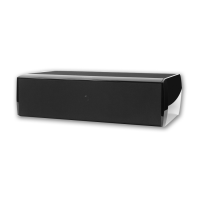
The Definitive Technology PowerMonitors are compact
high definition loudspeaker systems designed for use in
audio/video systems of the highest quality. Because of their
compact size, wide range, high power handling and natural
articulate clarity, they are ideal for use as a left main, right
main, and center speaker (which may be stand, shelf, wall or
in-cabinet mounted) in conjunction with all surround sound
decoding systems, including Dolby Pro Logic*, Dolby Digital
AC-3*, DTS*, Dolby Digital EX*, as well as all 6.1 and 7.1
systems. In addition, the PowerMonitors are ideal for use as
rear or side surround speakers in all surround sound decoding
systems or as audiophile quality main speakers in a high qual-
ity stereo system.
PowerMonitor
500
700
900
Audio/Video Magnetically Shielded Loudspeakers
with Built-In Powered Subwoofer
Owner's Manual

Other manuals for Definitive Technology PowerMonitor 500

Question and Answer IconNeed help?

Do you have a question about the Definitive Technology PowerMonitor 500 and is the answer not in the manual?

Definitive Technology PowerMonitor 500 Specifications

General IconGeneral
BrandDefinitive Technology
ModelPowerMonitor 500
CategorySpeakers
LanguageEnglish

Summary

Safety Precautions

Unpacking Your PowerMonitors

Please Inspect For Shipping Damage

Inspect for any visible or concealed damage upon arrival and report it immediately.

Positioning the PowerMonitors in Your Room

Speaker Break-In

Connecting Your Loudspeakers

Hooking Up Your PowerMonitors

Connect the left/right main/front channel terminals from your receiver/amplifier to the speaker's binding posts.

Using Your PowerMonitors with Dolby Digital AC-3 Systems

Hooking Up with Speaker Wire Only

Connect with speaker wire and set system to 'Large' speakers and 'no' subwoofer for LFE .1 channel.

Using the LFE Input on Your PowerMonitors

Use Y connector from LFE output to both speakers; set system to 'Large' speakers and 'yes' subwoofer.

Using Your PowerMonitors with an Additional Subwoofer on the LFE Channel

Use of PowerMonitors as Rear or Side Surround Speakers

Powering Up the Active Subwoofer Section

Setting Your PowerMonitors Low Frequency Control

Setting Low-Frequency Balance When Using Separate LFE Input

Set bass level for balance in stereo; use decoder for movie effects. Adjust L/R independently for room acoustics.

VERY IMPORTANT: SETTING CHANNEL BALANCE AND BASS MANAGEMENT SYSTEMS

Crucial for proper system balance. Adjust decoder bass management based on speaker size and connection type.

Setting Bass and Treble Controls on Your Receiver or Amplifier

The PowerMonitor Home Theater System

Troubleshooting

Technical Assistance

Service

PowerMonitors Preliminary Specifications

Limited Warranty

Related product manuals