Need help?
Do you have a question about the DEKALA Sunrise ACA-002-B and is the answer not in the manual?
Setting the current time on the alarm clock.
Adjusting the brightness levels of the LED display.
Setting up Alarm 1 with wake-up light, ringtone, and volume.
Activating Snooze Mode to delay the alarm for 9 minutes.
Turning on/off and tuning the FM radio.
Simulating sunset and sound for falling asleep.
Turning on/off and adjusting the brightness of the bedside light.
Turning on/off and changing the color of the atmosphere light.
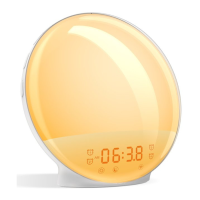
The Dekala Sunrise Alarm Clock (model ACA-002-B) is a multi-functional device designed to enhance your waking and sleeping experience. It combines the features of an alarm clock, sunrise simulator, FM radio, sleep aid, and a versatile light source, all controlled via physical buttons and, for advanced alarm settings, a companion "Smart Life" app.
At its core, the device serves as a digital alarm clock with a clear LED display. It offers two independent alarms (Alarm 1 and Alarm 2) that can be set directly on the device, with additional alarms (Alarm 3 and Alarm 4) configurable through the "Smart Life" app. A key feature is its sunrise simulation, which gradually brightens the light before your set alarm time, mimicking a natural sunrise to help you wake up more gently. This sunrise light can be customized in terms of brightness levels (L-01 to L-20) and the duration of the sunrise simulation (10, 20, 30, 40, 50, or 60 minutes).
The device also includes a sleep aid function that simulates a sunset. When enabled, the light gradually dims, and the volume of a selected nature sound decreases over a set timer (10 to 120 minutes), promoting a relaxed environment for falling asleep.
An integrated FM radio allows you to tune into your favorite stations, which can also be used as an alarm sound. The device automatically searches and saves available FM stations (P-01, P-02, etc.).
Beyond its alarm and sleep functions, the Dekala Sunrise Alarm Clock features multiple lighting options. It has a Bedside Light with adjustable brightness, and an Atmosphere Light that can cycle through various colors automatically or be manually set to one of seven available colors.
The LED display's brightness can be adjusted between Day Mode (brightest), Night Mode (lowest), or turned OFF completely. A snooze function is available, allowing you to delay the alarm for 9 minutes, up to 5 times.
The device is designed for intuitive operation through its array of buttons:
To get started, users must remove an insulation film from the button cell compartment at the bottom and connect the device to power using the provided USB cable and adapter. The device has no dedicated power on/off button; it powers on automatically when plugged in and powers off when unplugged. The FM antenna needs to be unrolled for optimal signal reception.
Time setting involves selecting a 12-hour or 24-hour format, with AM/PM indicators for the 12-hour format. Alarm settings include choosing the hour, minute, ringtone (S-01 to S-07 nature sounds, or F-08 for the last FM station), ringtone volume (U-01 to U-16), sunrise light brightness (L-01 to L-20), and sunrise duration (10-60 minutes). The sleep aid function allows setting a timer (10-120 minutes) and selecting a sound (S-01 to S-03 nature sounds, or F-04 for the last FM station) with adjustable volume.
The Bedside Light is turned on/off with a dedicated button and its brightness is adjustable. The Atmosphere Light is activated by double-pressing a button, cycling colors automatically. Short presses of the Up/Down buttons manually change colors, while a long press allows automatic color cycling upon release.
For further assistance, users can contact info@dekalastore.com.
 General
| Brand | DEKALA |
|---|---|
| Model | Sunrise ACA-002-B |
| Category | Alarm Clock |
| Language | English |

 To Next Page