20
1 2 3 4
1
2 3 4
1 2 3 4
O
F
O
F
I
0
II
I
0
II
Installation
- Deactivate the automatic switch
- Check:
deactivated
The automatic switch protects the system in case locking kits are
unreleased when opening the pool.
If the cover jams, the motor is shut down automatically.
INFORMATIONS
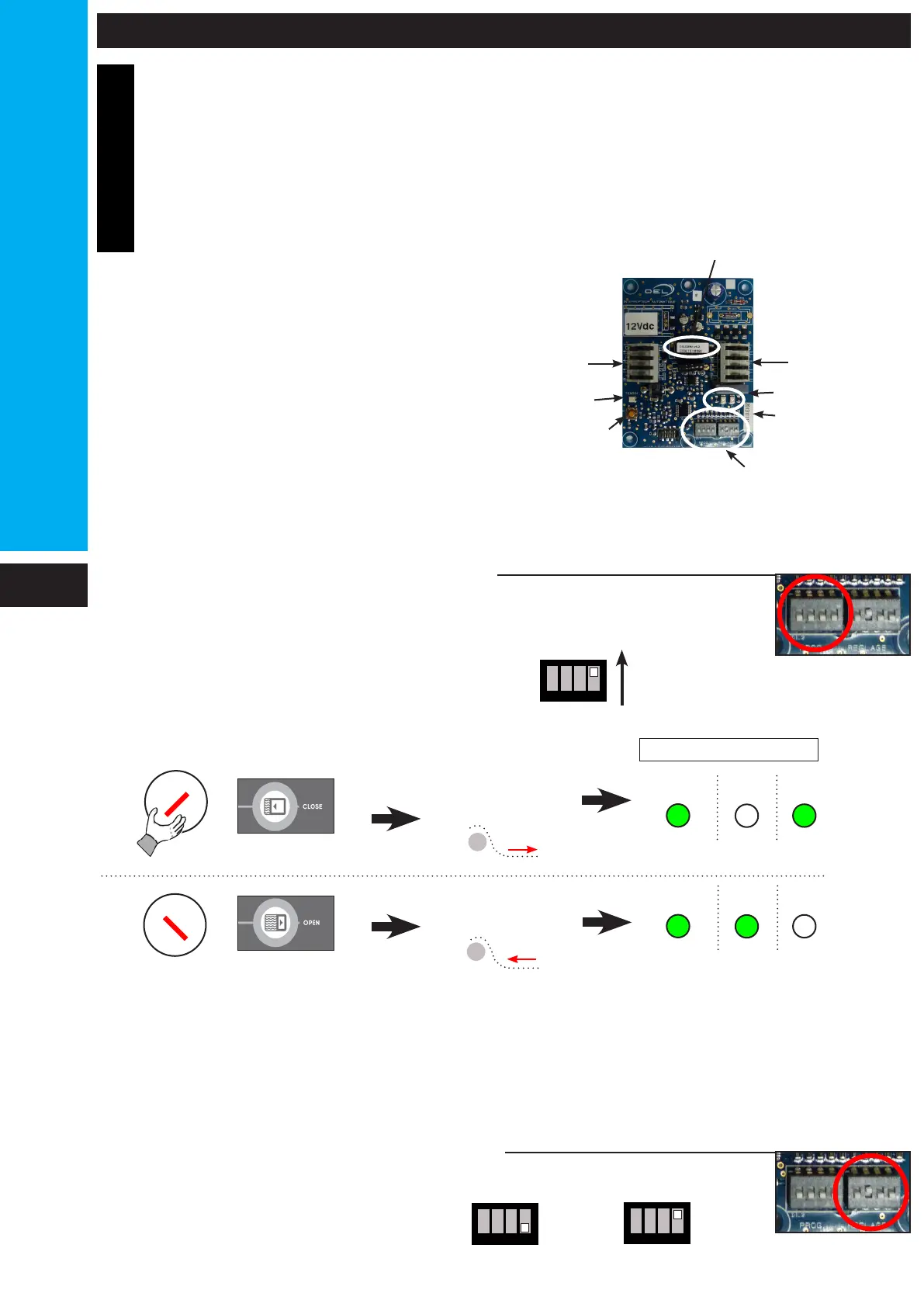
ADJUSTING THE AUTOMATIC SWITCH
O and C indicators
Inputs
Outputs
Switchs
PROG & REGLAGE
Test led
TC1 Button
Check the order logic
Pilot
Pilot
INDICATORS
Pool opening
Pool closure
If the command logic is not correct, check the installation wiring.
Setting control duration
L = pool length steps included
L <= 12 m
L > 12 m
30 seconds
60 seconds
Different cases of jamming:
- Unreleased safety locking kit.
- cover rubbing (on the beam,
coping stone...)
- Object in the pool jamming the
cover (cleaner, counter-weight ...).



 To Next Page