Dave Pimm – Avid Technology – Sept 1st, 2016
Rev D
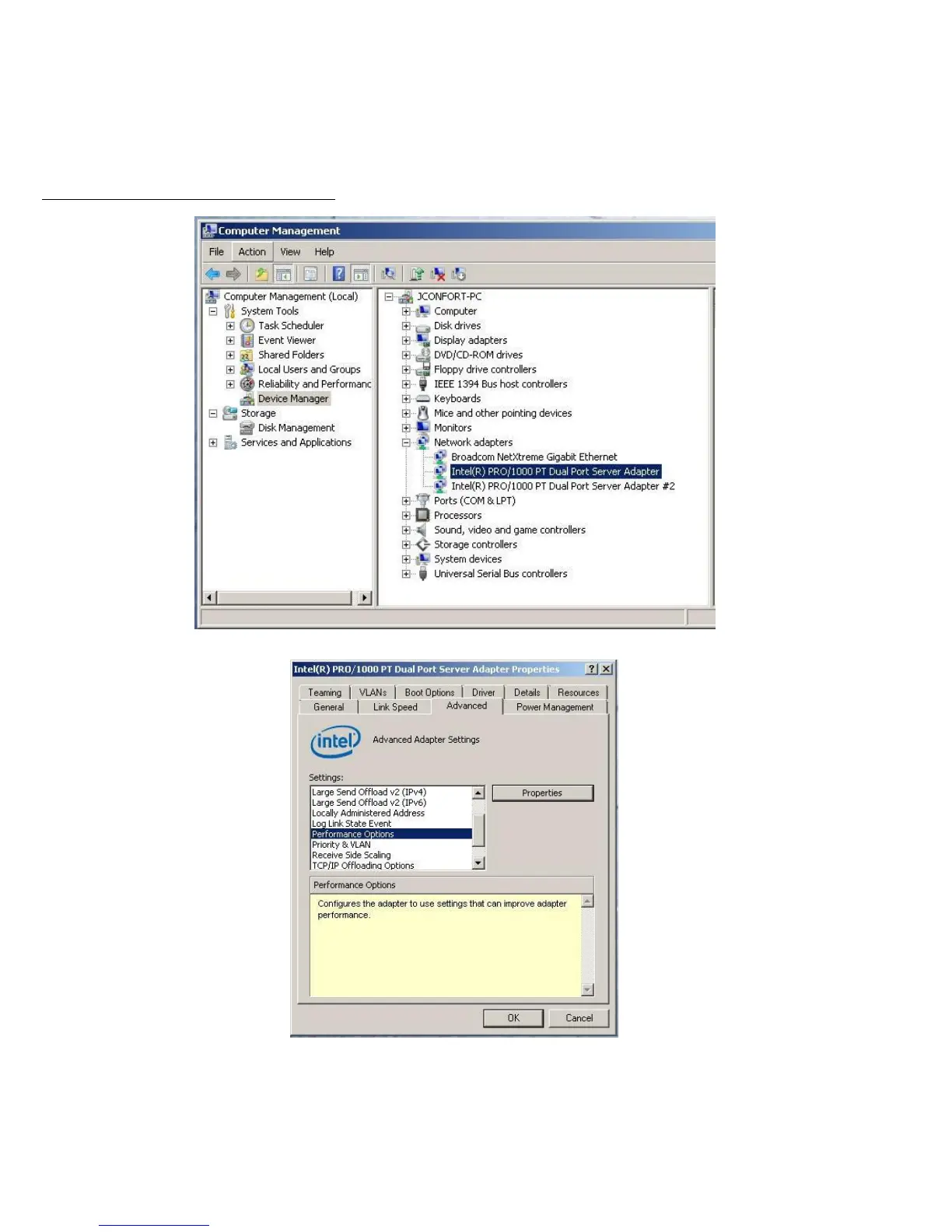
Example below is for the Intel PRO 1000 PT.
1. For the performance settings, change the following parameters:
- Receive Buffers to 1024
- Transmit Buffers to 1024
2. Disable the windows firewall.
To set the Intel NIC Receive / Transmit buffers:
Go to device manager and select each instance of the network adapter device which will be used for ISIS connectivity.
Select performance options and then select Properties.
Set Receive Buffers to 1024 Set Transmit Buffers to 1024











 To Next Page