Media and tray
48
2. Menu Overview and Basic Setup
2
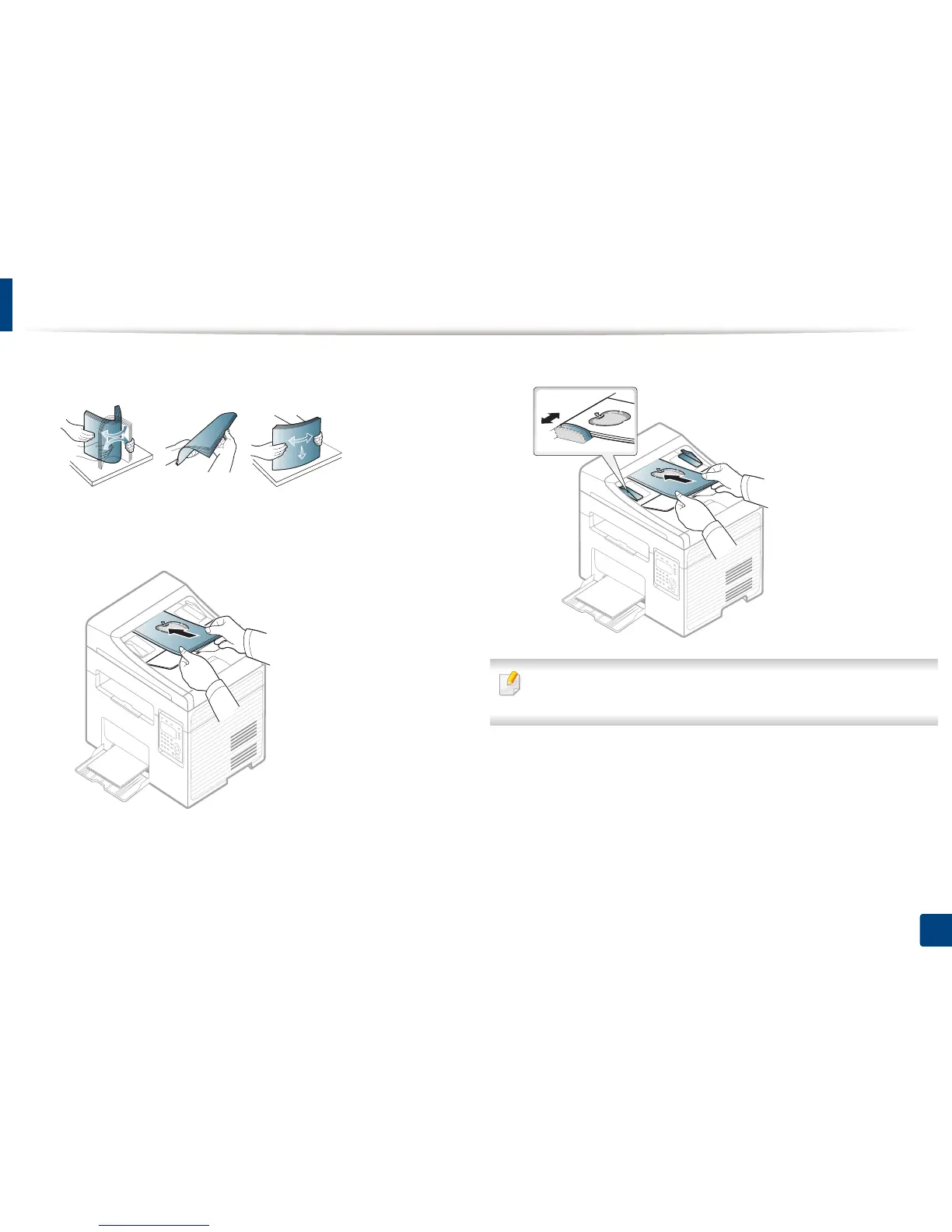
Flex or fan the edge of the paper stack to separate the pages before
loading originals.
3
Load the original face up into the document feeder input tray. Make sure
that the bottom of the original stack matches the paper size marked on
the document input tray.
4
Adjust the document feeder width guides to the paper size.
Dust on the document feeder glass may cause black lines on the printout.
Always keep the glass clean (see "Cleaning the machine" on page 78).





 To Next Page