NOTE: A USB Type-C to DisplayPort adapter (sold separately) is required to connect a DisplayPort device.
2. HDMI port
Connect to a TV, external display or another HDMI-in enabled device. Provides video and audio output.
3. USB 3.2 Gen 1 port
Connect devices such as external storage devices and printers. Provides data transfer speeds up to 5 Gbps.
4. Power-adapter port
Connect a power adapter to provide power to your computer and charge the battery.
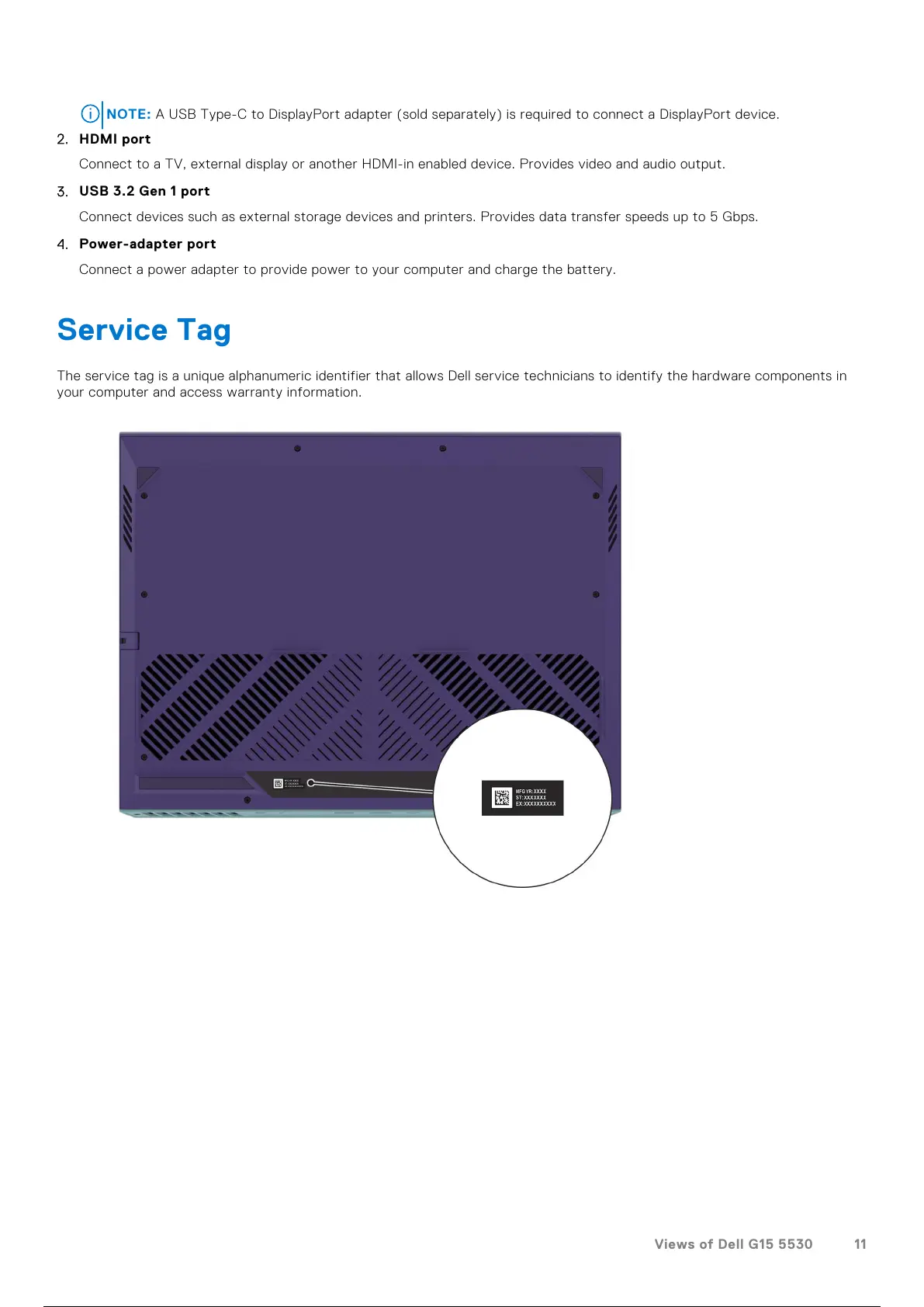
Service Tag
The service tag is a unique alphanumeric identifier that allows Dell service technicians to identify the hardware components in
your computer and access warranty information.
Views of Dell G15 5530 11
12 / 111 11 / 109 12 / 111



 To Next Page