12 |
6
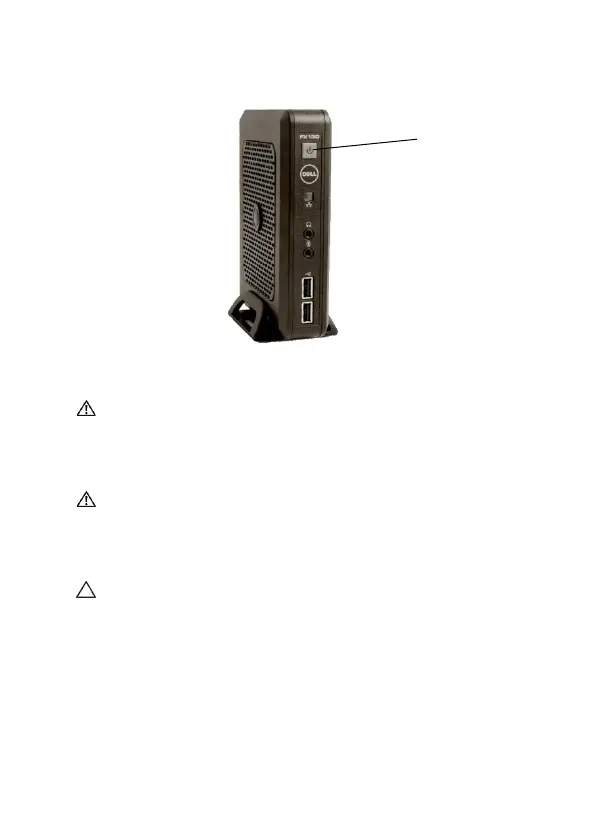
Press the
Power
button to turn on the unit.
WARNING: Make all necessary connections before powering
the unit on. Failure to do so may make the unit appear as if is
not functioning properly. Do not shut the thin client down by
removing the power cord. Loss of power can damage the unit.
WARNING: Excessive sound pressure from earphones and
headphones can cause hearing loss. Adjust the equalizer to
increase or decrease the earphones’ and headphones’ sound
pressure levels.
CAUTION: It is important to not interrupt the power to the thin
client while executing a firmware upgrade. Loss of power can
result in a damaged operating system.








 To Next Page