4 |
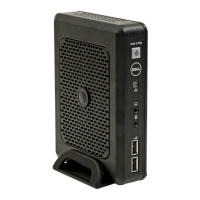
Dell™ OptiPlex™ FX130
Quick Setup Guide
Before Setting Up Your FX130
NOTE:
Place the thin client in its vertical orientation for best
performance.
Your FX130 terminal is shipped with the following items:
1
Power Cord
2
Adapter
3
Terminal Stand (pre-installed)
4
Quick Setup Guide
5
Warranty and Support Information
6
End User License Agreement
7
CD Containing Open Source Code
8
Safety, Environmental, and Regulatory Information
9
DVI-VGA Adapter
NOTE:
Inspect all parts visually for damage. If anything is damaged,
please contact Dell immediately to report the issue.








 To Next Page