Installing System Components 71
5
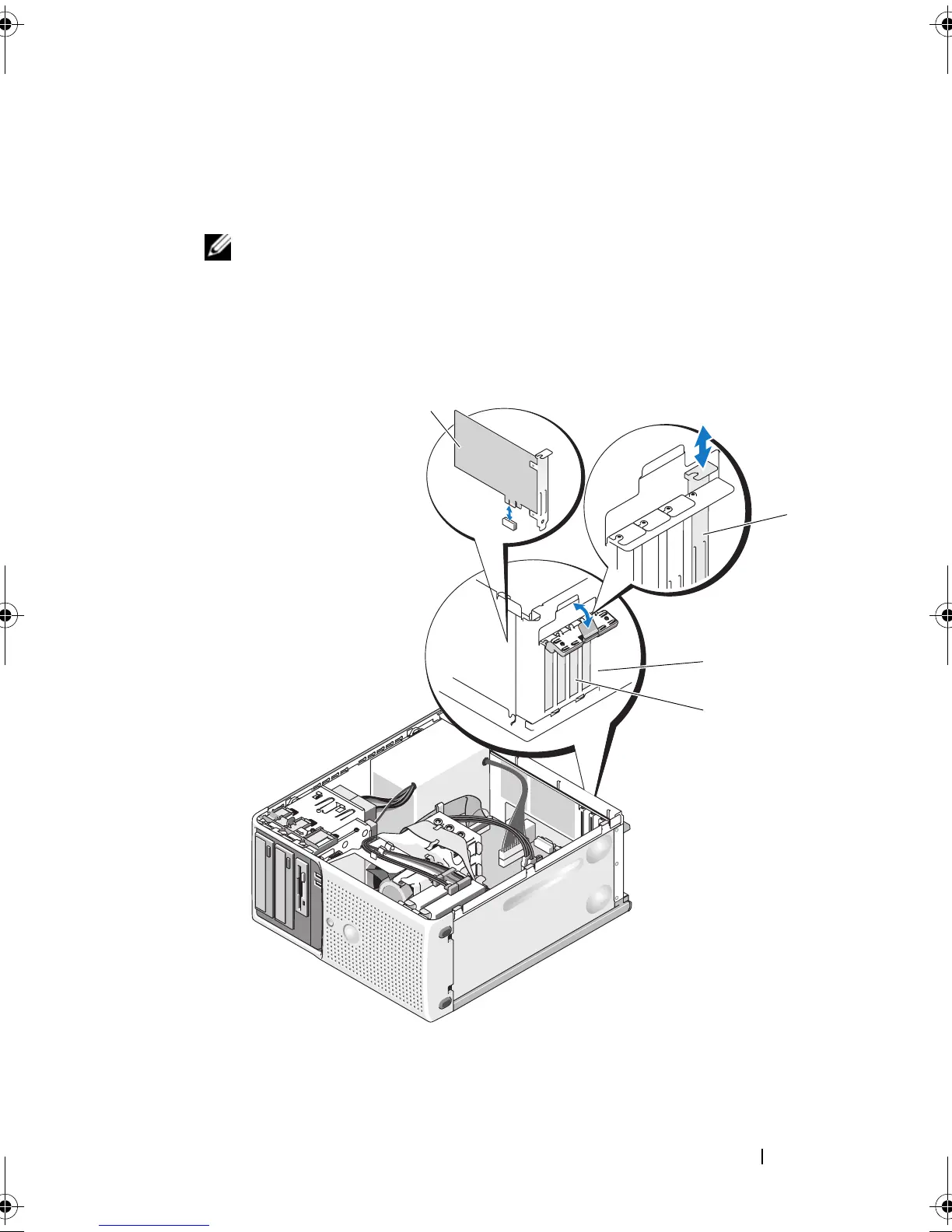
Grasp the card by its top corners and ease it out of its connector.
6
If you are removing the card permanently, install a filler bracket in the
empty card slot.
NOTE: Filler brackets must be installed over empty expansion card slots to
maintain Federal Communications Commission (FCC) certification of the
system. The brackets also keep dust and dirt out of the system and aid in
proper cooling and airflow inside the system.
Figure 3-18. Removing and Installing an Expansion Card
1 expansion card 2 alignment guide
3 card retention door 4 release tab
2
4
3
1
book.book Page 71 Wednesday, April 15, 2009 8:47 PM










 To Next Page