74 Installing System Components
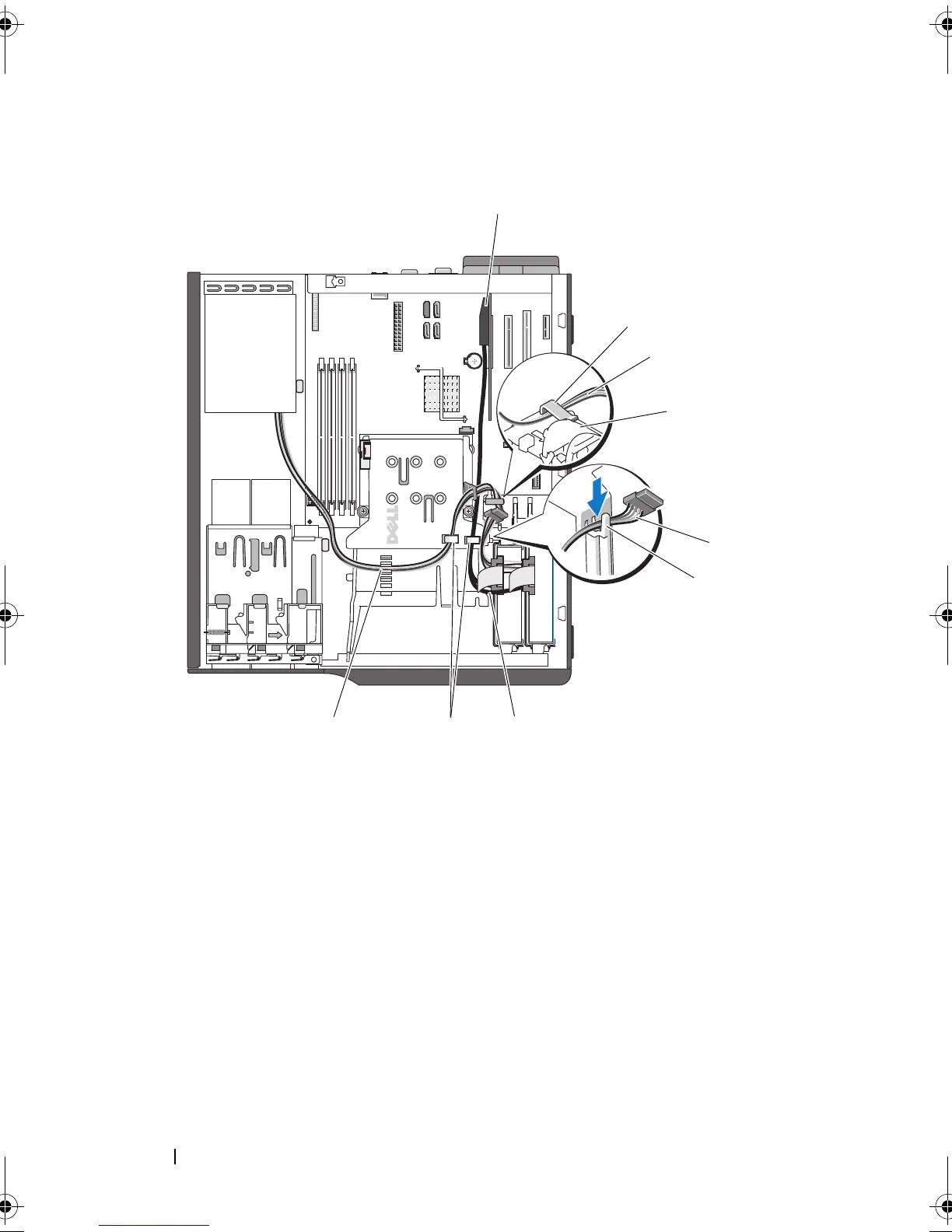
Figure 3-19. Cabling a SAS or SATA Hard Drive to a SAS Controller Expansion Card
See "Hard Drives" on page 64 for information about connecting hard drives.
1 SAS card 2 clip on hard disk drive fan shroud
3 power cable 4 hard disk drive fan
5 power cable 6 top notch on heat sink fan shroud
7 SAS cable 8 retaining tabs on top of heat sink
shroud
9 retaining clip on top of heat sink fan
shroud
1
6
89
5
2
3
4
7
book.book Page 74 Wednesday, April 15, 2009 8:47 PM










 To Next Page