New and changed features
Functional area Feature description
BIOS
● Updated to version 3.38.0.1-6
● Updated to AMI label 39
● Made inclusive language changes
● Updated the latest microcode to M01406D812D
● Updated the RTC/CMOS reg/values as follows:
○ Reboot count: reg 0x58 bits 4-7
○ TCO reboot indication: reg 0x59 bit 0
ONIE FW Updater
● Updated to version 3.38.5.1-5 which updated the BIOS
Important information
The following is important information you need to know when working with your switch:
BIOS
Only BIOS upgrade is supported. BIOS downgrade to a previous version is not supported.
USB-B driver
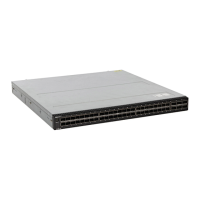
The S5048F-ON switch uses the Silicon Labs CP2109 USB-B chip. To find the correct USB-B universal asynchronous receiver-
transmitter (UART) driver, see https://www.silabs.com/products/development-tools/software/usb-to-uart-bridge-vcp-drivers.
ONIE firmware image
Using the onie-firmware-x86_64-VENDOR_MACHINE-r0.bin image only updates the ONIE firmware components, such
as BIOS and CPLD. This image does not update the base ONIE version.
DIAG-OS installation or ONIE self-update
WARNING:
Do not power-cycle the board when a DIAG-OS installation or ONIE self-update is in progress. If the install
or upgrade task is interrupted, the board might have an invalid MBR/GPT/Grub, and would not boot into the OS or
ONIE. In this case, use a recovery procedure to bring up the switch so long as the BIOS is functional.
Solid state drive specifications
Table 4. SSD reliability
Transaction type Specification Limits
Reads — unlimited
Writes TBW per JEDEC 218 32.0
TBW per JEDEC 219A 5.3
3



 To Next Page
 Loading...