3. camera (optional)
4. camera LED
5. microphone
6. display latch
7. display
8. speakers (2)
9. power button
10. DisplayPort connector
11. USB 3.0 connector
12. USB 3.0 connector with powershare
13. hard drive
14. fingerprint reader (optional)
15. wireless switch
16. keyboard
17. contactless card reader (optional)
18. touchpad
19. display latch release button
20. touchpad buttons (3)
21. track stick buttons (3)
22. track stick
23. caps lock LED
24. device status lights (hard drive,
battery, wireless, Bluetooth, number
lock status lights)
25. volume control buttons (mute,
volume decrease, volume increase
buttons)
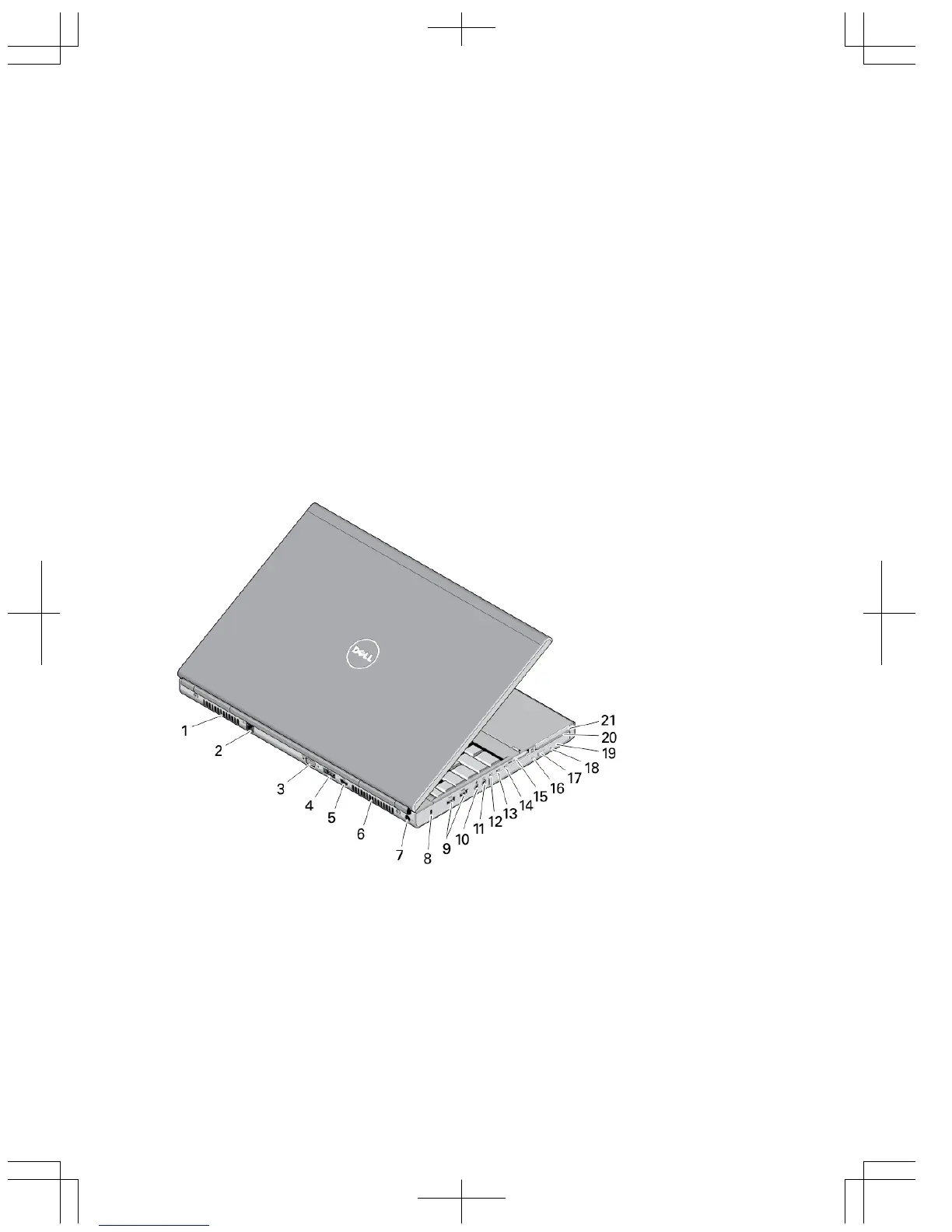
Figure 2. Back View
1. cooling vent
2. network connector
3. VGA connector
4. eSATA/USB 2.0 connector
5. HDMI connector
6. cooling vent
7. power connector
8. security cable slot
2















 To Next Page