快速入门指南
快速入門指南
Vostro 20
3000 Series
Quick Start Guide
4 Finish Windows setup
完成 Windows 设置 | 完成 Windows 設定
Enable security and updates
启用安全和更新
啟用安全性與更新
Connect to your network
连接到网络
連接網路
Windows 8
3 Connect the power cable and press
the power button
连接电源电缆并按下电源按钮
連接電源線然後按下電源按鈕
1
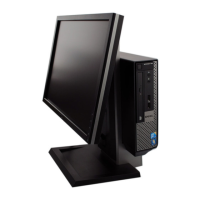
Set up the stand
安装机架
設定腳架
NOTE: If you are connecting to a secured wireless network, enter the
password for the wireless network access when prompted.
注:如果您连接到安全的无线网络,在出现提示时,请输入无线网络的访问密码。
註:如果您要連線至安全的無線網路,請在提示下輸入存取無線網路的密碼。
Sign-in to your Microsoft account
orcreate alocal account
登录您的 Microsoft 帐户或创建一个本地帐户
登入您的 Microsoft 帳號或建立本機帳號
2
Connect the keyboard and mouse
连接键盘和鼠标
連接鍵盤與滑鼠
NOTE: If you are connecting a wireless keyboard or mouse,
see the documentation that shipped with it.
注:如果您要连接无线键盘或鼠标,请参阅随附的文档。
註:如果您要連接無線鍵盤或滑鼠,請參閱隨附的說明文件。
Set up password for Windows
设置 Windows 的密码
設定 Windows 密碼
Connect to your network
连接到网络
連接網路
NOTE: If you are connecting to a secured wireless network, enter the
password for the wireless network access when prompted.
注:如果您连接到安全的无线网络,在出现提示时,请输入无线网络的访问密码。
註:如果您要連線至安全的無線網路,請在提示下輸入存取無線網路的密碼。
Protect your computer
保护计算机
保護電腦
Windows 7

 Need help?


 To Next Page

 General