GUID-6606D9B7-C45A-46C7-AD35-C782735B4DD4
Procedure
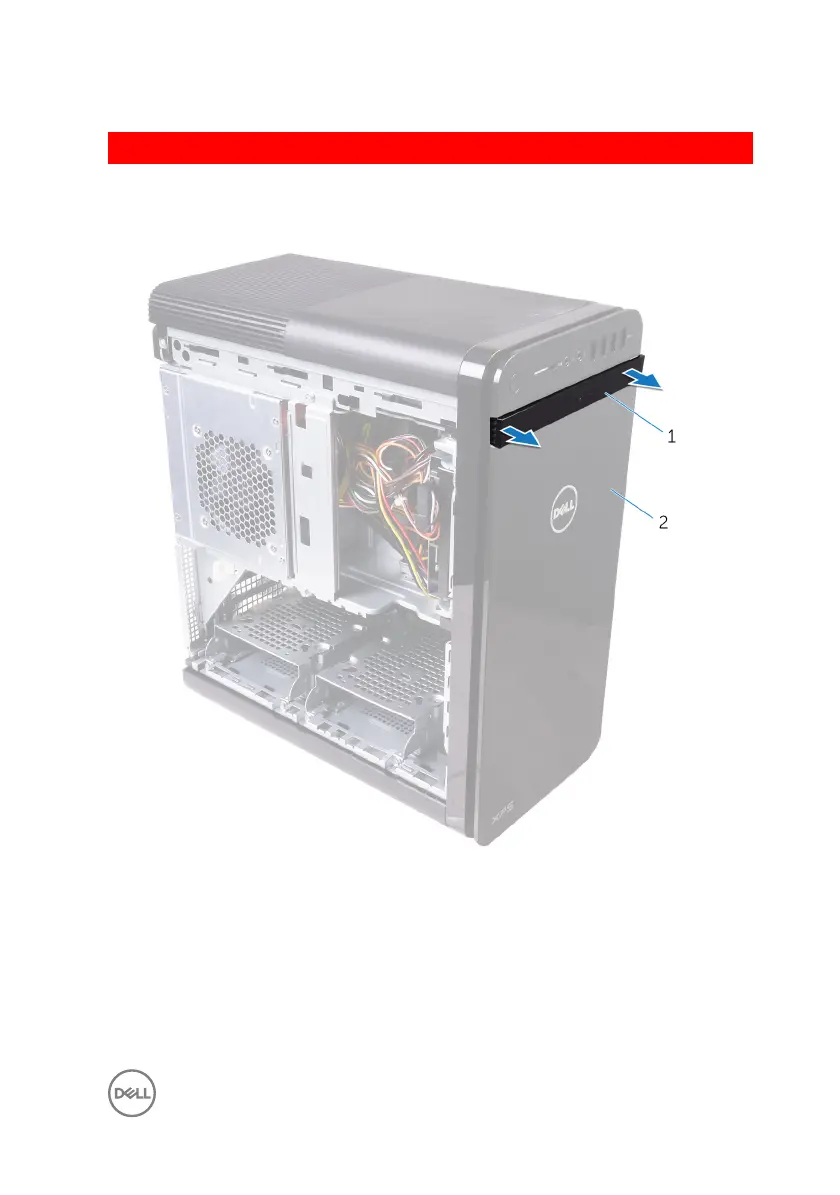
1 Pry the optical-drive bezel from the optical drive.
Figure 5. Removing the optical drive bezel
1
optical-drive bezel 2 front bezel
2 Release the front-bezel tabs sequentially from the top, one at a time by moving
them away from the front chassis.
31


 To Next Page
 Loading...