8
2. INTRODUCTION
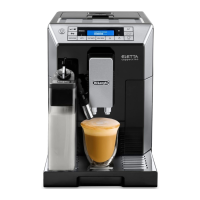
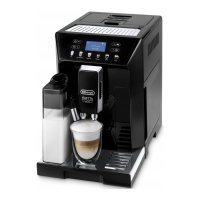
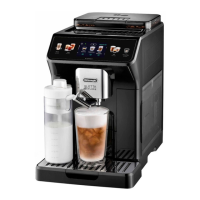
Thank you for choosing the ECAM45760 automatic coee and
cappuccino maker.
We hope you enjoy using your new appliance.
Take a few minutes to read these instructions.
This will avoid all risks and damage to the machine.
2.1 Symbols used in these instructions
Important warnings are identied by these symbols.
It is vitally important to observe these warnings.
Danger!
Failure to observe the warning could result in life threatening
injury from electric shock.
Important!
Failure to observe the warning could result in injury or damage
to the appliance.
Danger of burns!
Failure to observe the warning could result in scalds.
Please note:
This symbol identies important advice or information for the
user.
2.2 Letters in brackets
The letters in brackets refer to the legend in the Description of
the Appliance on page 3.
2.3 Troubleshooting and repairs
In the event of problems, rst try and resolve them following
the information given in the section “16. DISPLAYED MESSAGES”
and “17. TROUBLESHOOTING”.
If this does not resolve the problem or you require further in-
formation, you should consult Customer Experience by calling
the number given on the annexed “Customer Experience” sheet.
If your country is not among those listed on the sheet, call the
number given in the guarantee.
If repairs are required, contact De’Longhi Customer Experience
only.
Contact details are given in the guarantee certicate provided
with the appliance.
2.4 Video instruction manual available on:
http://ecam45760.delonghi.com
3. DESCRIPTION
3.1 Description of the appliance
(page 3 - A )
A1. Beans container lid
A2. Pre-ground coee funnel lid
A3. Beans container
A4. Pre-ground coee funnel
A5. Grinding adjustment dial
A6. Cup warmer shelf
A7. Coee spout (adjustable height)
A8. Hot water and steam connection nozzle
A9. Condensate tray
A10. Coee grounds container
A11. Cup tray
A12. Drip tray
A13. Drip tray water level indicator
A14. Infuser door
A15. Infuser
A16. Water tank
A17. Water softener lter housing
A18. Water tank lid
A19. Main switch
3.2 Description of the control panel
(page 2 - B )
A number of buttons on the panel have a double function. This is
indicated in brackets in the description.
B1. button: turns the appliance on and o (standby)
B2. aroma selection button: to select the coee taste
B3. CAPPUCCINO button: to deliver a cappuccino
B4. CAFFELATTE button: to deliver a caelatte (When in the
settings menu, press to scroll through the menu)
B5. LATTE MACCHIATO button: to deliver a macchiato
B6. MILK MENU button: to access preparation of MILK, FLAT
WHITE, ESPRESSO MACCHIATO and MY MILK
B7. button to deliver hot water
B8. button: to deliver steam (When in the settings menu,
press to scroll through the menu)
B9. button: to make 1 cup of LONG coee
B10. button: to make 2 cups of coee with the settings
displayed
B11. button: to make 1 cup of coee with the settings
displayed
B12. OK button: to enable and conrm the selected function
B13. Display: guides the user in using the appliance
B14. MENU/ESC button to enter the menu (When in the settings
menu, press to exit the menu)
B15. button: to select coee quantity




 To Next Page