English-4
Basic Inspection
Item Content
General Inspection
Periodically inspect the screws of the connection between the HMI and
device. Tighten screws as necessary as they may loosen due to vibration
and varying temperatures.
Ensure that oil, water, metallic particles or any foreign objects do not fall
inside the HMI, control panel or ventilation slots and holes. As these will
cause damage.
Ensure the correct installation and the control panel. It should be free from
airborne dust, harmful gases or liquids.
Inspection before
operation (power is
not applied)
Ensure that all wiring terminals are correctly insulated.
Ensure that all wiring is correct or damage and or malfunction may result.
Visually check to ensure that there are not any unused screws, metal strips,
any conductive or inflammable materials inside HMI.
Ensure to lower electromagnetic interference when devices are influenced
by it.
Ensure that the external applied voltage to HMI is correct and matched to the
controller.
Inspection before
operation (power is
applied)
Check if power LED lights.
Check if the communication among devices is normal.
Please contact your local Delta sales representative if there are any
abnormal conditions.
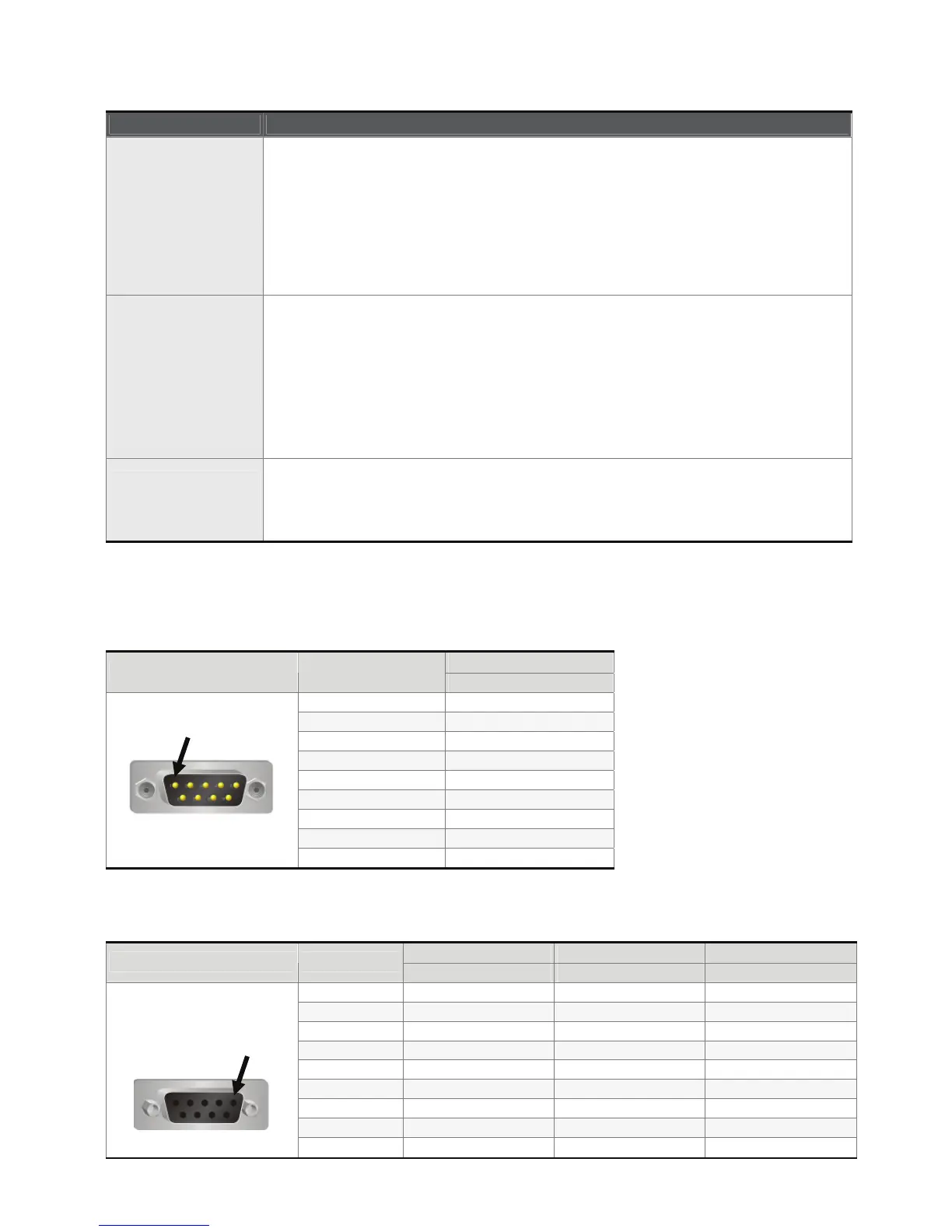
Pin Definition of Serial Communication
COM1 Port (Supports Flow Control)
Contact
COM Port PIN
RS-232
1
2 RXD
3 TXD
4
5 GND
6
7 RTS
8 CTS
9
Note: Blank = No Connection.
COM2 Port (Supports Flow Control)
MODE1 MODE2 MODE3
COM Port PIN
RS-232 RS-422 RS-485
1 TXD+ D+
2 RXD
3 TXD
4 RXD+
5 GND GND GND
6 TXD- D-
7 RTS
8 CTS
9 RXD-
PIN1
PIN1


 To Next Page
 Loading...
