Chapter 2 HMI-WPLSoft Introduction|DOP-EXIO Series
Revision March, 2008, Doc. Name: 2007PDD23000014 2-13
Language Setup(L) Ö Allow the user to change the display language of
HMI-WPLSoft by requirement. There are three available languages for selection,
Tranditional Chinese, Simplied Chinese and English.
Method: Click “Options(O)” > “Language Setup(L)”.
2.8 Window
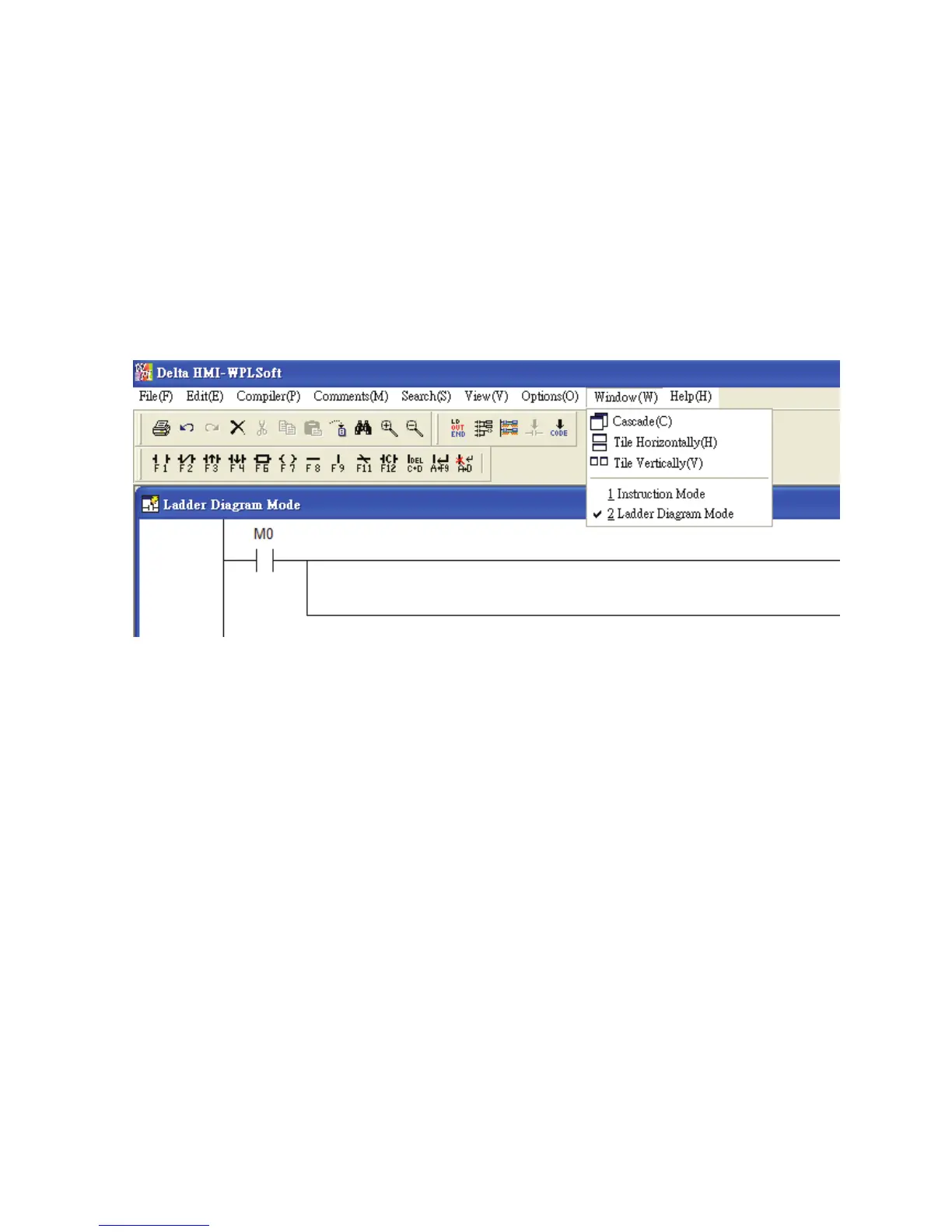
The “Window” function is shown as follows, including pull-down menu options:
Cascade(C) Ö Arrange windows in an overlapping way.
Method: Click “Window(W)” > “Cascade(C)”.
Title Horizontally(H) Ö Arrange the file in a horizontal way.
Method: Click “Window(W)” > “Title Horizontally(H)”.
Title Vertically(V) Ö Arrange files in a vertical way.
Method: Click “Window(W)” > “Title Vertically(V)”.
The current files list Ö e.g. Instruction Mode and Ladder Diagram Mode.
Method: In HMI-WPLSoft editing window, activate Instruction Mode and Ladder
Diagram Mode and click “Window(W)”, and then the user can see
them show in Window drop-down menu.



 To Next Page