Appendix D Use of Application Instructions|DOP-EXIO Series
D-16
Revision March, 2008, Doc. Name: 2007PDD23000014
Mnemonic Operands Function
ZCP
S
1
S
2
S
D
Zone Compare
Bit Devices Word Devices
X Y M S K H KnX KnY KnM KnS T C D E F
S
1
S
2
S
D
y Note:
1. If S
1
, S
2
and S are used in device F, only 16-bit instruction is
applicable.
2. The content in S
1
should be smaller than the content in S
2
.
3. Operand D occupies 3 consecutive devices.
16-bit instruction (9 Steps)
ZCP
Continuous
execution
32-bit instruction (17 Steps)
DZCP
Continuous
execution
y Flags: None
Operands:
S
1
: Lower bound of zone comparison
S
2
: Upper bound of zone comparison
S
: Comparison value
D
: Comparison result
Explanations:
1. S is compared with its S
1
, S
2
and the result is stored in D.
2. When S
1
> S
2
, the instruction performs comparison by using S
1
as the lower/upper bound.
3. The two comparison values are compared algebraically and the two values are signed binary
values. When b15 = 1 in 16-bit instruction or b31 = 1 in 32-bit instruction, the comparison will
regard the value as negative binary values.
Program Example:
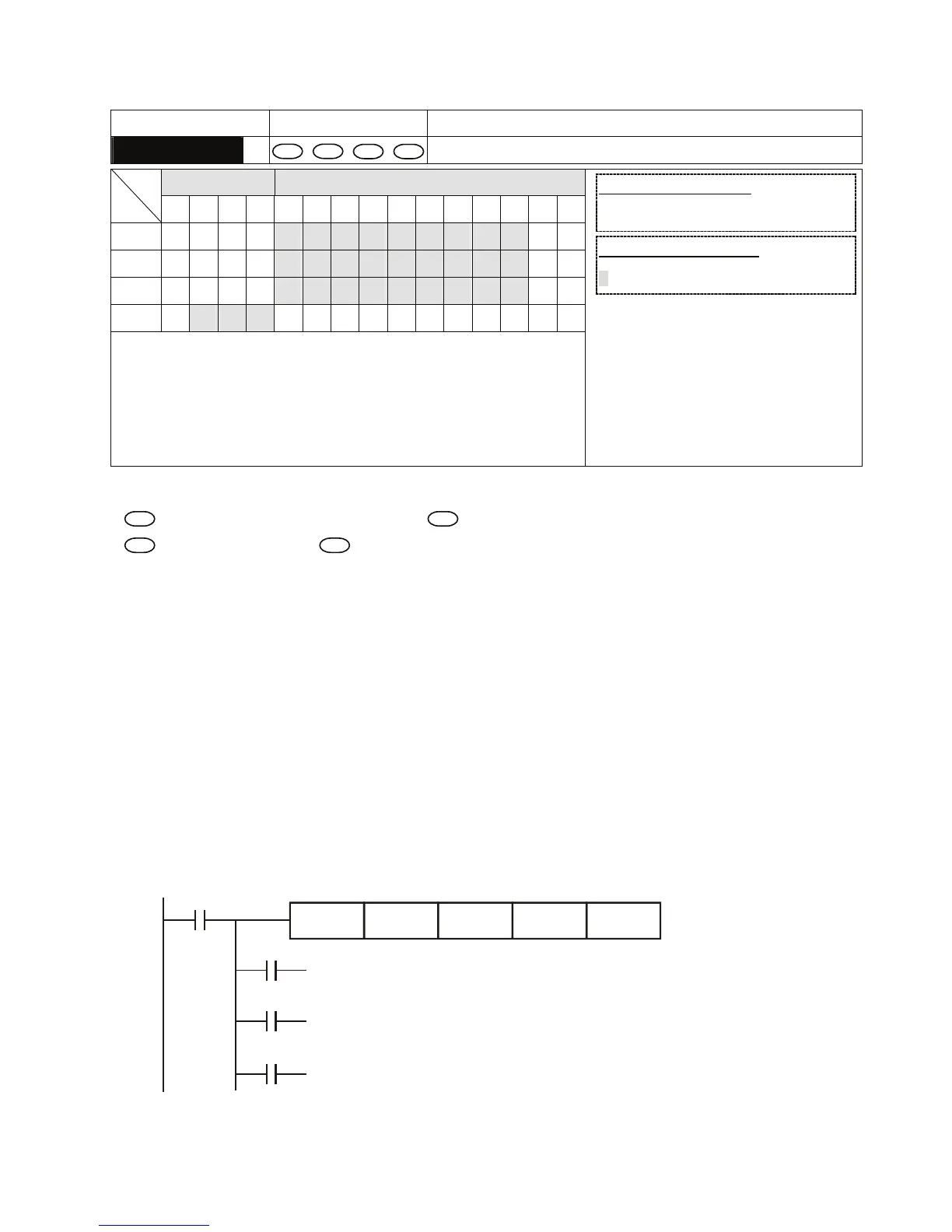
1. Designate device M0, and operand D automatically occupies M0, M1 and M2.
2. When X0 = On, ZCP instruction will be executed and one of M0, M1, and M2 will be On. When X0
= Off, ZCP instruction will not be executed and M0, M1, and M2 remain their status before X0 =
Off.
X0
M0
M1
M2
ZCP
If C10 < K10, M0 = On
If K10 < C10 < K100, M1 = On
If C10 > K100, M2 = On
X0
K10 C10 M0K100
==
3. To clear the comparison result, use RST or ZRST instruction.


 To Next Page
 Loading...
