
 Need help?
Do you have a question about the Deltaco Gaming 4222228 and is the answer not in the manual?
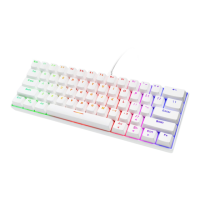
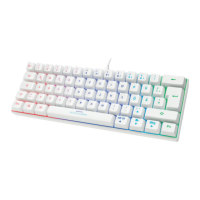
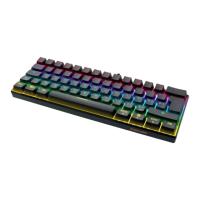
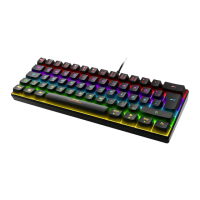
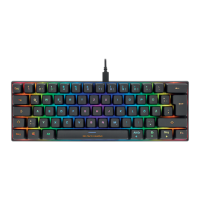
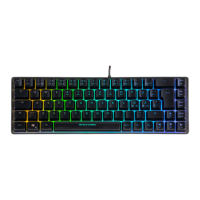
This document describes a 65% layout membrane gaming keyboard with a semi-transparent case, manufactured by Deltaco Gaming. The keyboard is designed for gaming and general use, featuring customizable LED lighting and various shortcut functions.
The keyboard is a compact 65% layout, meaning it omits the numeric keypad, function row, and some navigation keys to save space. It utilizes a membrane switch technology, which typically offers a quieter typing experience compared to mechanical keyboards. The semi-transparent case allows the internal components and LED lighting to be visible, contributing to its aesthetic appeal.
The keyboard supports a range of keyboard combinations using the FN key, enabling access to multimedia controls, system functions, and LED lighting adjustments. These combinations include:
Alt Gr + E or Alt Gr + 5 for the Euro symbol (€).FN + 1 to FN + 9 for F1 to F9 keys.FN + 0 for F10.FN + + for F11.FN + ' for F12.FN + ESC for the section symbol (§).FN + left CTRL: Toggles direct access to F1 to F12 keys. When enabled, pressing a number key (e.g., 3) will directly activate the corresponding F key (e.g., F3) without needing to hold FN.FN + R: Decreases volume.FN + T: Increases volume.FN + Y: Toggles sound on/off (mute).FN + U: Previous track.FN + I: Play/pause media.FN + O: Next track.FN + P: Opens the email program.FN + Å: Opens the default web browser.FN + backspace: Opens the calculator program.FN + E: Opens the default media player.FN + Win: Locks or unlocks the Windows key, preventing accidental presses during gaming.FN + W: Switches between WASD keys and arrow keys for movement.The keyboard features customizable LED lighting, including RGB modes. The LED lighting can be adjusted in several ways:
FN + (*): Turns LEDs on/off, changes LED mode, and activates RGB mode.FN + ^: Increases light brightness.FN + *: Decreases light brightness.FN + Ö: Decreases the LED speed.FN + Ä: Increases the LED speed.FN + ← or FN + →: Changes LED direction or zone (for LED mode 9).FN + ↑ or FN + ↓: Changes LED color or chooses color (for LED mode 9).The keyboard remembers the last used LED mode after being turned off. LED mode 9 offers customizable light zones, allowing users to set different static colors for each zone. To customize, first switch to LED mode 9, then use FN + left/right arrow to change the zone, and FN + up/down arrow to change the color. The color change and direction functionalities vary depending on the active LED mode. Color change works on modes 4 and 9, but not on 1, 2, 3, 5, 6, 7, 8. Direction change works on modes 1, 2, 3, and 7, but not on 4, 5, 6, 8, 9.
The keyboard also has a sleep mode, which activates when the connected computer or device enters sleep mode.
The compact 65% layout is ideal for users who prefer a smaller footprint on their desk, providing more space for mouse movement, which is particularly beneficial for gamers. The semi-transparent case adds a unique visual element, especially when combined with the customizable RGB lighting.
The FN + left CTRL shortcut for direct F1-F12 key access is a significant usability feature, allowing users to quickly access these functions without the need for a two-key combination, streamlining workflows and gaming actions. The dedicated multimedia and system shortcuts provide convenient control over audio, media playback, and common applications.
The FN + Win key lock is a crucial feature for gamers, preventing accidental presses of the Windows key that could minimize the game and disrupt gameplay. The ability to switch WASD and arrow key functions offers flexibility for different games or user preferences.
The extensive LED customization options allow users to personalize the keyboard's appearance to match their setup or mood. The memory function for LED modes ensures that preferred settings are retained even after the keyboard is powered off.
For cleaning, the manufacturer recommends using a soft, dry cloth. For tougher stains, a mild detergent can be applied to a cloth, which is then used to wipe the keyboard, followed by a wipe with a dry cloth. This simple cleaning procedure helps maintain the keyboard's appearance and hygiene.
The product is designed to comply with EC Directive 2012/19/EU regarding the disposal of electrical and electronic devices. It should not be treated as regular household waste but returned to a designated collection point for recycling. Further information on disposal can be obtained from local authorities or the retailer.
The product comes with a warranty, and detailed information can be found on www.deltaco.eu. For support and more product information, users can visit www.deltaco.eu or contact help@deltaco.eu via email.
 General
| Brand | Deltaco Gaming |
|---|---|
| Model | 4222228 |
| Category | Keyboard |
| Language | English |


 To Next Page