EasyManua.ls Logo

Deltaco Gaming DC410 - User Manual

Deltaco Gaming DC410
14 pages
Print Icon
To Next Page IconTo Next Page
Loading...
BUL Благодарим Ви,
че избрахте Deltaco!
DAN Brugermanual
DEU Benutzerhandbuchl
ENG User manual
EST Kasutusjuhend
FIN Käyttöopas
FRA Manuel d’utilisation
HUN Felhasználói kézikönyv
LAV Lietošanas pamācība
LIT Naudojimo instrukcija
NLD Gebruiksaanwijzing
NOR Brukermanual
POL Instrukcja obsługi
SPA Manual del usuario
SWE Användarmanual
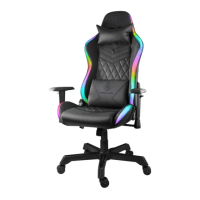
RGB GAMING CHAIR
332 LED MODES
DC410
Question and Answer IconNeed help?

Do you have a question about the Deltaco Gaming DC410 and is the answer not in the manual?

Summary

Chair Setup and Power

Connecting Power and Peripherals

Connect DC power, neck pillow buckle, and USB cable to the 5V supply.

Optional Power Sources

Using power banks or USB adapters as alternative power sources.

Remote Control Functions

Remote Control Button Overview

Explains the purpose and operation of each button on the remote control.

Remote Pairing and Customization

Guides on connecting the remote, changing LED colors, and quantities.

LED Lighting System

Selecting LED Modes

How to cycle through and select various LED lighting modes and effects.

Power Management

Understanding Energy Consumption

Details how LED brightness impacts the chair's power usage.

Product Support

Customer Assistance

Information on how to get product support and contact details.

Deltaco Gaming DC410 Specifications

General IconGeneral
BrandDeltaco Gaming
ModelDC410
CategoryIndoor Furnishing
LanguageEnglish

Related product manuals