Need help?
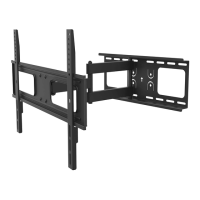
Do you have a question about the Deltaco ARM-460 and is the answer not in the manual?
Read the entire instruction manual before starting installation and assembly.
Contact DELTACO for installation or usage problems. Provide product number, model, and wall type.
Instructions for mounting the wall plate, including stud compatibility checks.
Visual guide for attaching the wall plate to the wall using screws.
Attaching mounting arms and brackets to the TV using various screw types.
Connecting the TV with attached brackets to the mounted wall plate.
Locking the TV securely onto the wall mount assembly.
Performing tilt and swivel adjustments for optimal screen positioning.
 General
| Brand | Deltaco |
|---|---|
| Model | ARM-460 |
| Category | Racks & Stands |
| Language | English |

 To Next Page