2 3
ENG – User Manual SWE – Användarhandledning
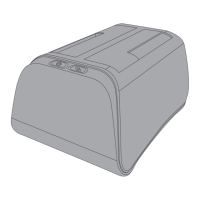
This enclosure for 3.5” external hard drives is congured for Windows,
Mac OS, or any other operating system that can read external hard drives.
In order to reach high-speed read and write capabilities you will need a
USB 3.0 port on a computer. However, USB 2.0 ports are also supported
at reduced speeds and will work since your product is backwards
compatible. Plugging into a USB 2.0 port will not cause any harm to your
product or hard drive.
Installing a Hard Drive into Your Enclosure
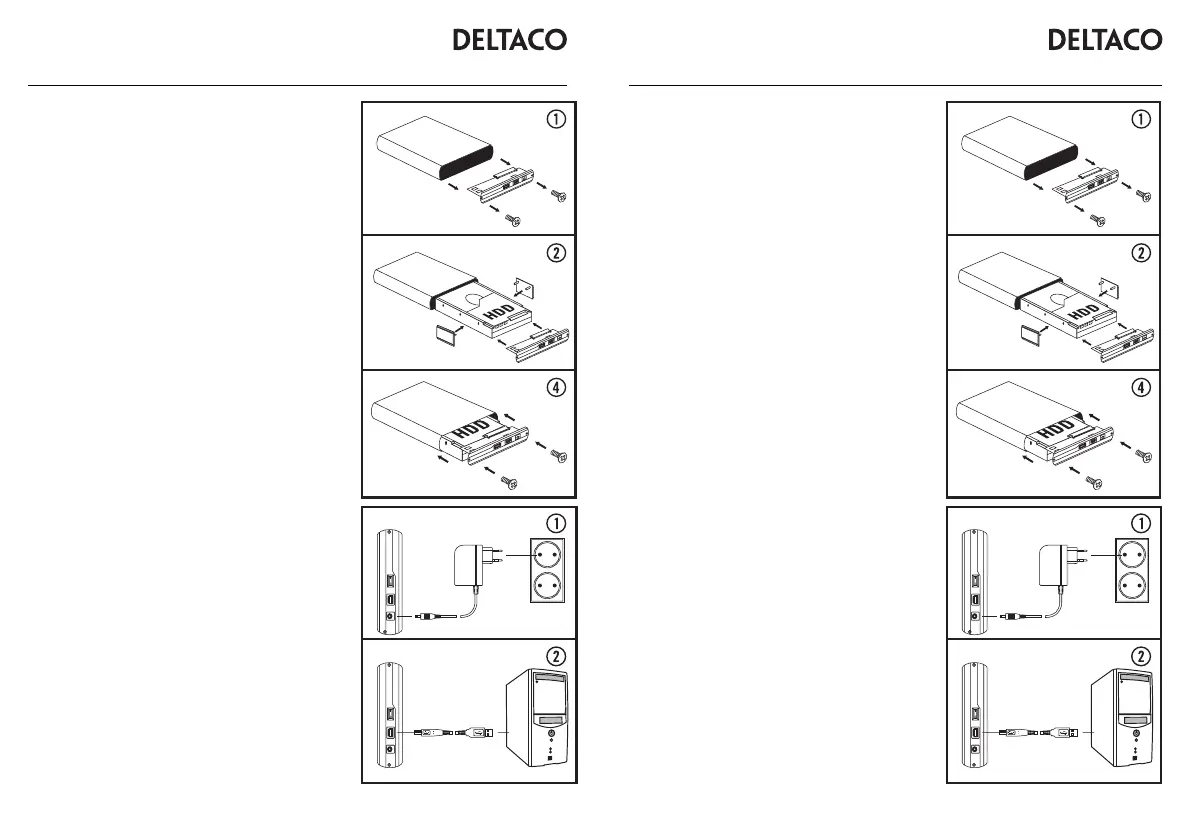
1. In order to open the enclosure, use the supplied screwdriver and loosen
the USB connection face plate.
2. Attach the directional guide plates to the sides of the hard drive into
their corresponding screw holes.
3. Attach and slide the hard drive maintaining a contact between the circuit
board and the hard drive input slot.
4. Insert the hard drive to the enclosure. Ensure that the directional guides
are in the proper groove.
5. Using the screws, tighten the USB contact side back on to the enclosure.
Conguring Your Enclosure on a Computer
1. Connect the AC power adapter to the enclosure rst and then to the wall.
2. Connect the USB cable from the enclosure rst and then to your computer.
3. Turn on the enclosure with the breaker switch in the rear.
With your computer turned on, you should be provided a dialogue window
acknowledging a new device has been detected and should install it
automatically for you.
If your hard drive is new and unformatted then you will need to format it
using your operating system’s disk management system. More information
and help regarding how to format a new hard drive can be found in your
operating system’s help resources.
If you know that there is previously saved data on your hard drive, make
sure to check that the operating system on the computer can access and
read the hard drive’s le system.
Disclaimer: Do not format a hard drive with data on it unless you are
certain that you want to permanently erase all the les and information on
the hard drive. Consult an expert computer technician if you are unsure on
how to proceed with accessing your hard drive.
Support
Please contact us if you have any problems with the use or installation of
your product. We appreciate you being prepared to provide us with some
basic information such as your operating system and the item number so
that we may better help you.
Contact us by e-mail: help@deltaco.eu.
More product and support information can be found at www.deltaco.eu.
Du har köpt ett externt hårddiskkabinett för en 3,5” hårddisk att
använda i Windows, Mac OS eller annat operativsystem som kan läsa
externa hårddiskar. För att nå full hastighet behöver du en port med
stöd för USB 3.0 men kabinettet är bakåtkompatibelt med USB 2.0.
Installation av hårddisk i kabinett
1. För att öppna kabinettet använder du den medföljande skruvmejseln
och skruvar bort den sida där USB-kontakten sitter på kabinettet.
2. Sätt fast riktskenorna i hårddiskens skruvhål.
3. Sätt fast hårddisken så att kontakten på kretskortet håller kontakten
på hårddisken ordentligt.
4. För in hårddisken i kabinettet. Se till att riktskenorna ligger rätt i skåran.
5. Skruva fast kontaktsidan igen.
Installation av kabinett i dator
1. Anslut först nätadaptern till kabinettet och sedan till väggen.
2. Anslut sedan USB-kabeln till kabinettet och sedan till datorn.
3. Starta kabinettet med strömbrytaren på baksidan.
Datorn kommer nu meddela att ny enhet har hittats och installera den
automatiskt.
Om din hårddisk är ny och inte tidigare formaterad behöver du först
formatera den i operativsystemets hårddiskhantering. Mer information
och hjälp nns i operativsystemets hjälpsidor.
Om du vet att det nns sparad data på din hårddisk ska du först
kontrollera att det operativsystem du använder kan läsa hårddiskens
lsystem.
OBS! Du ska aldrig formatera en hårddisk som innehåller data du
vill spara eftersom en formatering raderar all data som nns på
hårddisken. Rådgör med en expert på dataräddning om du är osäker.
Användarstöd
Om du har problem med att installera eller använda din produkt skall
du inte tveka att ta kontakt med oss! Vi uppskattar om du har så
mycket information om din datormiljö som möjligt tillgänglig; Version av
operativsystem och vilken produkt från Deltaco det gäller.
I Sverige når du oss på 0200-877771 vardagar 09:00-17:00,
eller via e-post till help@deltaco.se.
Mer information om produkt och användarstöd nns på
www.deltaco.eu.
A N O R D I C B R A N DA N O R D I C B R A N D


 To Next Page
 Loading...