Need help?
Do you have a question about the Deltaco SH-IPC07 and is the answer not in the manual?
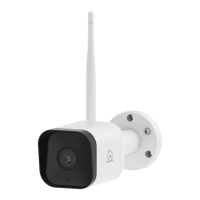
Details the MicroSD slot, reset button, speaker, microphone, and LED indicator on the camera.
Steps for drilling holes, mounting the camera, and adjusting its angle using screws.
Instructions on how to reset the camera to factory default settings by holding the reset button.
Explanation of the LED colors and patterns indicating camera status (powering on, malfunction, connection).
Guide to installing the mobile app, creating an account, adding the device, and connecting it to power.
Recommendations for cleaning the camera's exterior with a soft cloth and avoiding solvents or repairs.
Details on where to find more product information and contact support via email.
 General
| Brand | Deltaco |
|---|---|
| Model | SH-IPC07 |
| Category | Digital Camera |
| Language | English |

 To Next Page