25
Getting Ready for your First Ride and Each Future Ride
1. Confirm you battery is fully charged and installed correctly.
a. Your monitor will not turn on if you are charging your battery
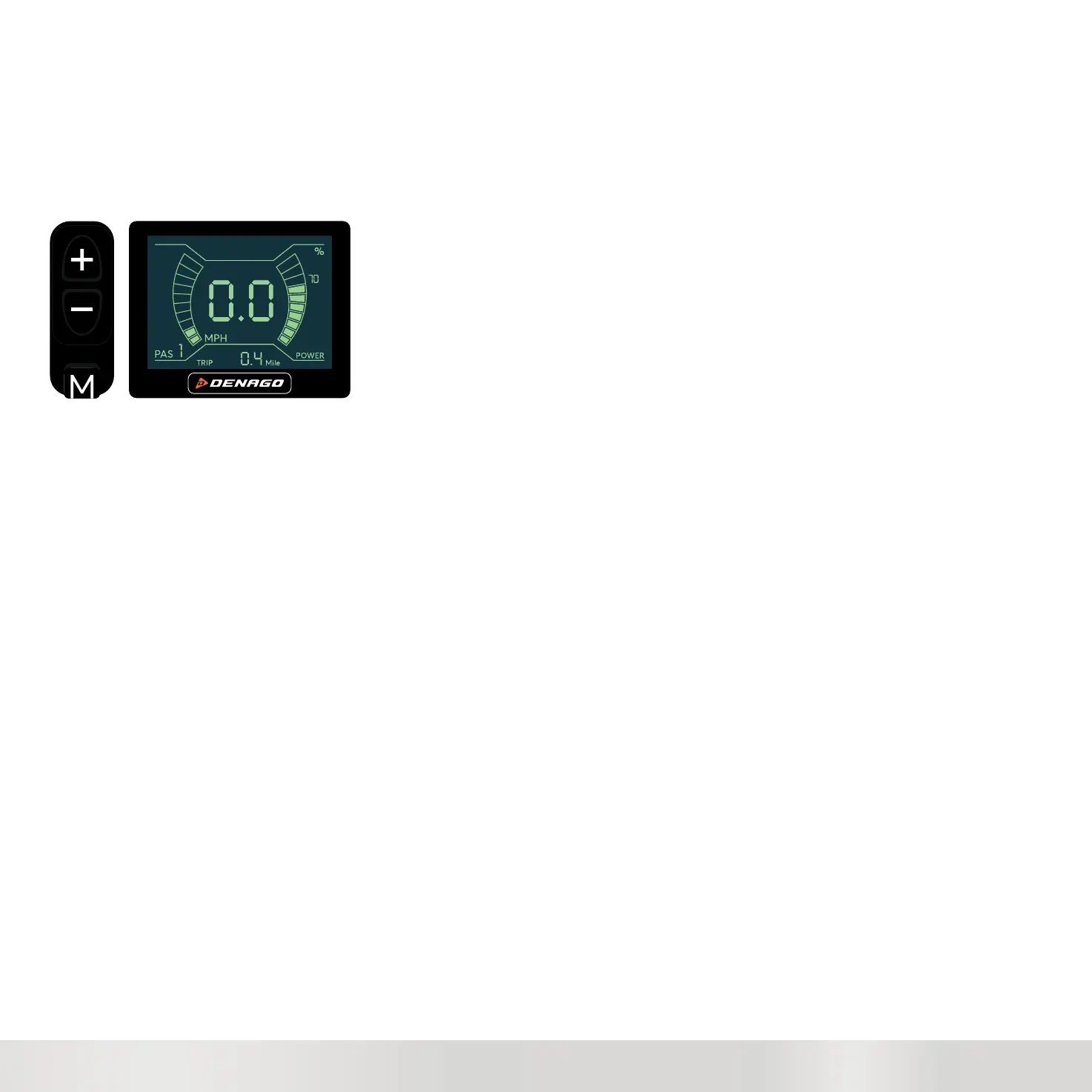
To Turn on the Monitor Press the M button on the HMI.
b. The key is only to secure and remove the battery. It is not an ON/OFF key.
2. Check you tire pressure
3. Check your wheels are secure and mounted correctly
4. Check you brakes for function
5. Check your wheels to insure true
6. Go thru and check all bolts for being tight and secure.
Your Ready to Go
Always wear a helmet and be safe
Standing over the bike you have the HMI (Human Machine Interface) controller on the left side. It has + - and M button
Press the M button until the monitor/display turns on.
Check the PAS setting - Ideally you want to start in PAS0 or PAS1.
See Speed Adjustment to help find your most comfortable setting.
YOU ARE READY to RIDE. ENJOY!



 To Next Page