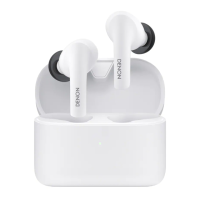
Charging case
.
A
Charging port (USB Type-C)
Connect the supplied USB cable to charge.
B
Multi-function button
Performs various operations.
0
“Checking the remaining battery power of the charging
case” (v p. 12)
0
“Pairing with other Bluetooth devices” (v p. 19)
0
“Resetting factory settings” (v p. 36)
C
Lid
By opening and closing the lid, it turns on and off the earphones,
charges them, and displays the remaining battery power of the
charging case.
0
“Charge/Power” (v p. 8)
D
Left earphone charging unit
E
Right earphone charging unit
F
Status LED
Displays various statuses such as the charge status, rechargeable
battery level, and Bluetooth connection status.
Contents
Preparation Connections Operation Troubleshooting Appendix
6


 To Next Page
 Loading...