12
NOTE HANDLING AND REPLACEMENT OF THE LASER PICK-UP
1. Protection of the LD
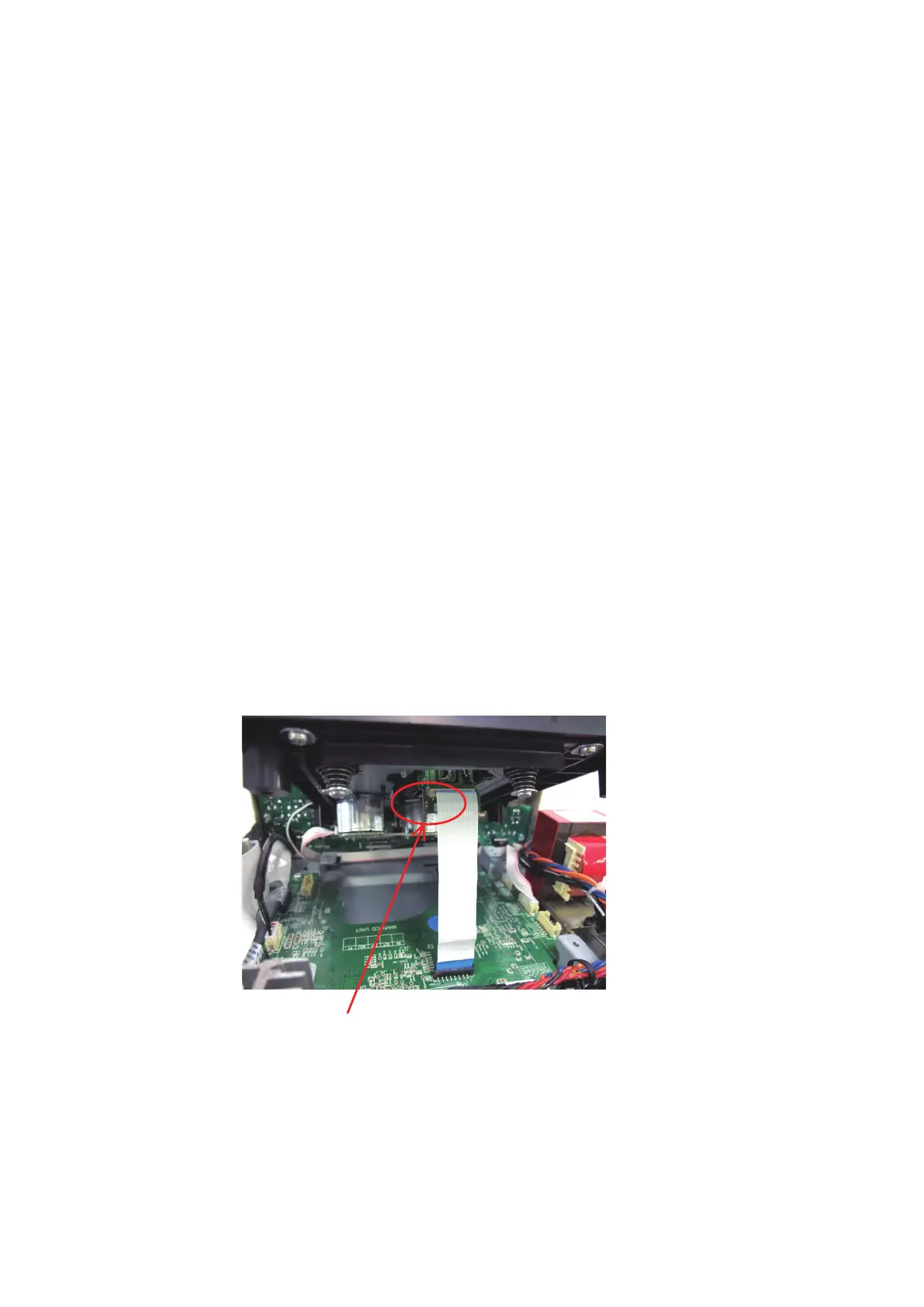
Short a part of the LD circuit by soldering. After connection to a circuit, remove the short solder.
2. Precautions when handling the laser CD mechanism
• Handle the laser pick-up so that it is not exposed to dust.
• Do not leave the laser pick-up bare. Be sure to cover it.
• If dust adheres on lens of the pick-up, blow it off with a blower brush.
• Do not shock the laser pick-up.
• Do not watch the light of the laser pick-up.
3. Cautions on assembling and adjustment
• Be sure that to the bench, jig, head of soldering iron (with ceramic) and measuring instruments are well grounded.
• Workers who handle the laser pick-up must be grounded.
• The nished mechanism (prior to anchoring in the set) should be protected against static electricity and dust. The
mechanism must be stored that damaging outside forces are not received.
• When carrying the nished mechanism, hold it by the chassis body
• For proper operation, storage and operating environment should not contain corrosive gases. For example H2S, SO2,
NO2, CI2 etc. In addition storage environment should not have materials that emit corrosive gases especially from
silicic, cyanic, formalin and phenol group. I the mechanism or the set, existence of corrosive gases may cause no
rotation in motor.
4. Determining whether the laser pick-up is defective
• Measure the waveform at RFO on " Ref. No.23 MAIN PCB
w
RFO".
(For measuring points and waveforms, Refer to 44 page.)
• The laser pick-up is OK if the amplitude level of the measured RFO waveform is between 0.4 and 1.1 Vp-p, defective
otherwise.
Protective soldering place for laser diode.



 To Next Page
 Loading...