33
WHEN THE MICROPROCESSOR IS REPLACED WITH A NEW ONE
When the U-PRO (Microprocessor) or the Flash ROM is replaced, conrm the following.
PWB Name Ref. No. Description
After
replaced
Remark
MAIN IC11 TMP92FD23AFG
B
USB IC15 TMP92FD28AFG
B
After replacing
A : Mask ROM (With software). No need for write-in of software to the microprocessor.
B : Flash ROM (With software). Usually, no need for write-in of software. But, when the software was updated, you should
write the new software on the microprocessor or ash ROM. Please check the software version.
C : Empty Flash ROM (Without software). You should write the software on the microprocessor or ash ROM.
Refer to "Update procedure" or "writing procedure", when you write the software.
PROCEDURE
FOR UPGRADING THE VERSION OF THE FIRMWARE
You can update the rmware by downloading the latest version from the Internet.
1. How to update by DISC
1.1. Procedure of making CD-R
(1) Download following les.
For MAIN μ-com : "DCD F109 SYS XXXXXX.BIN"
For USB μ-com : "DCD F109 BOL XXXXXX.BIN"
(2) Burn each le to CD-R with the following conditions.
q
Multi Session : No
w
File System : ISO9660+Joliet
e
Mode : MODE1
r
Writing speed : 8~16 speed (according ability of CD-R)
t
Writing method : Disc at Once (Finalize(Close)
※
To use one CD-R per le.
1.2. Procedure of updating
1.2.1.MAINμ-com
(1) AC is turned on while pressing the
5
and
2
button same time on this unit.(Entering the Service mode)
(2) While displaying model name, when
2
and the ON/STANDBY button are pressed simultaneously, the tray opens.
(3) If the
5
or
1
/
3
button is pushed and a tray is closed, a disc will be loaded and Version up will be started.
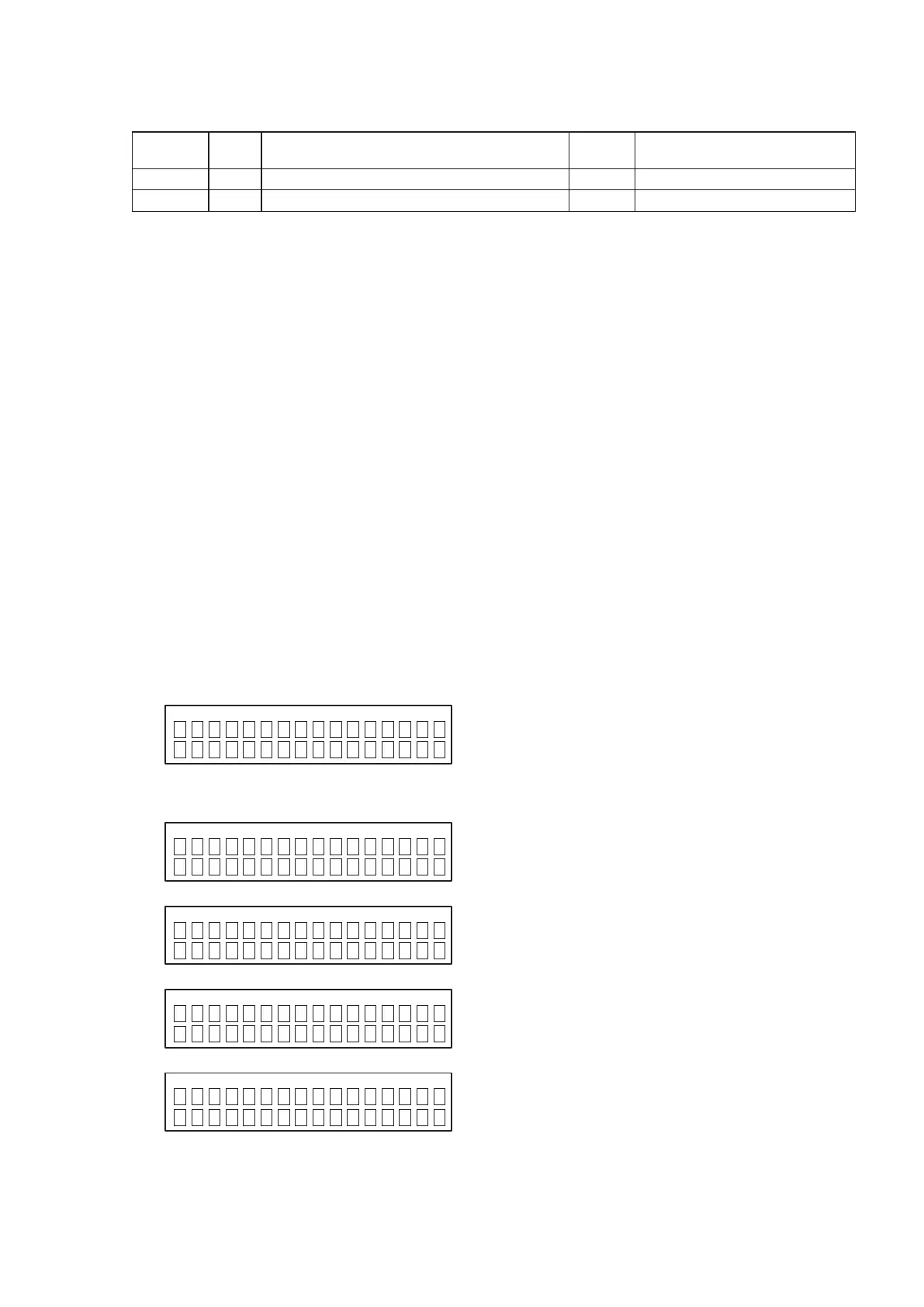
(4) "FileError" is displayed when not found upgrade le and the tray is opened.
q
During a le search
w
During a le check
e
During deletion
r
Writing
S
YSTEM VUP ALL
S
etDis c -> Close
S
YSTEM VUP ALL
F
ileSe arch
S
YSTEM VUP ALL
F
ileCh eck
S
YSTEM VUP ALL
E
rasig
S
YSTEM VUP ALL
W
ritin g



 To Next Page
 Loading...