16
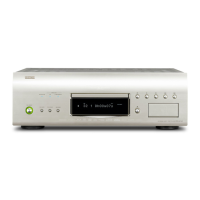
DVD-9000/DVD-A1
Electrical Adjustment for Video
SETTING
1. Connect the monitor TV to the video output 1 terminal.
2. Connect the Oscilloscope to the Y-signal and C-signal of S2 video output terminal and each terminate at 75 Ohms.
3. Connect the Oscilloscope to the PB -signal , CB -signal and Y- signal of Component video output terminal and
each terminate at 75 Ohms.
Use the 75 Ohms resistance must be 1%
4. DVD test disc : DVDT-S01
ADJUSTMENT
Setting the Oscilloscope as bellow.
1
PB / CB / PR / CR
(a) TIME / DIV : 2 µS
(b) VOLT / DIV : 100 mV
(use the probe : ×10)
2
Y / C
(a) TIME / DIV :2 µS
(b) VOLT / DIV :50 mV
(use the probe : ×10)
Power on. Power Supply
U.S.A.& Canada : 120 V
Asia : 230 V
China : 220 V
Europe : 230 V
1. Set the [SOURCE] selector knob : DVD.
2. Push [OPEN/CLOSE] button, then open the Disc Tray.
3. Set DVD test disc (DVDT-S01) on the Disc Tray, and then push [CLOSE]
button.
4. FL display appear "STOP", push [PLAY] button to playback DVD.
5. Set the Video output to INTERLACED by remote control unit. (Push the
[SETUP] button, set to the mode of VIDEO SETUP.)
6. Push the [DISPLAY] button of remote control unit and then appear the ON-
Screen Display (GUI) on the monitor TV.
7. Push the [12] button, select title 12 of DVD.
8. Push the [SELECT] button, playback title 12. (color bar 75%)
Adjust the signal of S2 video out by
the wave of Oscilloscope.
1
Y-signal
Adjust the signal of S2 video out by
the wave of Oscilloscope.
2
C-signal
Adjust the signal of Component
video out.
1
CB-signal
Point : VR422
Adjustment Value : 1000 ±20 mV
Point : VR423
Adjustment Value :
286 ±5 mV
(For U.S.A & Canada models)
300 ±5 mV (For Europe & Asia models)
Point : VR421
Adjustment Value :
486 ±10 mV
(For U.S.A & Canada models)
525 ±10 mV
(For Europe & Asia models)
Adjustment Point & Adjustment Value Wave
Y-signal of S2 video out
C-signal of S2 video out
P
B-signal
Y
C
P
B



 To Next Page
 Loading...