The Densen Gizmo System Remote is a sophisticated remote control designed to operate Densen audio products. Unlike conventional plastic remotes, the Gizmo utilizes a "burst mode" for infrared signal transmission, ensuring an extended range and allowing operation without direct line-of-sight to the controlled product. It features an internal rechargeable battery, eliminating the need for battery replacement; simply connect it to a charger when needed.
Function Description:
The Gizmo remote offers comprehensive control over various Densen components, including amplifiers, CD players, and tuners.
Front Panel Controls:
- A - Inputs: These buttons select the input on the amplifier and determine which product to control. For instance, to control a CD player, you must press "CD" to activate its functions.
- B - Light: This button controls forthcoming Densen light controllers. After pressing, a 5-second wait is required before operating other functions.
- B - Processor: Activates processor mode on Densen amplifiers. Functions related to amplifiers are then exclusively for processor use. Press again to return to normal mode.
- C - Repeat: Toggles repetition of all tracks on a CD.
- C - Shift: Activates hidden functions when pressed before another button.
- C - Store: Used for programming tracks on a CD and stations on a tuner.
- D - Numeric Keypad: For direct input of track numbers, preset stations, or frequencies.
- E - Select: Inverts the absolute phase on the B-400 and other compatible products. When "INVERT" lights up on the display, the signal is inverted; "INVERT" off indicates normal phase.
- F - Stop: Stops CD playback.
- F - Pause: Pauses CD playback.
- F - Play: Starts CD playback.
- G - <: Skips to the previous track on a CD player or station preset on a tuner.
- G - Open: Opens and closes the CD drawer.
- G - >: Skips to the next track or station.
- H - <<<: Searches backward.
- H - >>: Searches forward.
- I - Volume Up and Down: Adjusts the system volume.
- J - Status: In normal mode, displays system status.
- J - Idle: Sets the system to idle mode.
- J - Mute: Mutes the system with the first push; a second push restores the volume to the previous level.
Usage Features:
Change Display Mode:
To change the display to "off" mode, press "Shift" and then "Status" within 1 second. In "off" mode, the display lights up for 3 seconds when operated, then fades out. To revert to "on" mode, repeat the same combination.
Adjusting Display Brightness (for later models with newer software):
- Press "Shift" then "Light" within 2 seconds.
- Within 5 seconds, press a number from 0 to 9 (0 for lowest, 9 for highest brightness).
- To save the chosen brightness, press "Store" within 5 seconds. If "Store" is not pressed within the time limit, the display reverts to normal brightness.
- Press "Shift" then the input you want to alter (e.g., Line 1).
- The display will show "nameLine1".
- Use the "Up" and "Down" buttons to alter characters.
- Use the "<" and ">" buttons to move from left to right.
- To save changes, press "Shift" then "Store".
- The display will show "STORED".
Adjusting Preset Volume:
- Press "Shift" then "Store".
- Use "Up" and "Down" to adjust the volume to the desired level.
- Push "Store".
- Wait 5 seconds without pushing anything.
- View the adjusted level using the "Status" button.
Gizmo Functions for Integrated Amplifiers and Preamplifiers:
Pressing the "Status" button allows you to set the preset volume, which is the volume at which the amplifier automatically sets itself when turned on. This preset can be adjusted using "Volume Up" and "Down" and saved by pressing "Shift" then "Store". If a surround board is installed, "Status" also allows viewing and adjusting levels for all channels.
Gizmo Functions for CD Players:
- Numeric Buttons: Refer to tracks. For example, "1" then "1" is track 11.
- Programming Tracks:
- CD player must be in "stop" mode.
- Push "Store".
- Use ">" until the desired track appears on the display.
- Push "Store" to save the choice and prepare for the next track.
- Repeat steps 3 and 4 for subsequent tracks.
- When ready, push "Store" then "Play" to start playback.
- Display Modes (when display is "on" mode):
- Push "Status" once to view remaining time of the current track.
- Push "Status" a second time to view remaining time of the whole CD.
- Display Modes (when display is "off" mode):
- Push "Light" to light up the display.
- Push "Status" once to show remaining time of the current track.
- Push "Status" a second time to show remaining time of the whole CD.
- Push "Status" a third time to return to normal display.
Gizmo Functions for B-800 Tuner:
- Numeric Buttons: Refer to preset stations. For example, "1" then "1" is preset 11.
- <: One push moves one number down in presets.
- >: One push moves one number up in presets.
- <<<: Autosearch searches downwards.
- >>>: Autosearch searches upwards.
- Stop: Stops autosearch.
- Store: Used for storing presets (maximum 99). Find the station, push "Store", use "<" or ">" (or numeric keypad) to select the preset number, then push "Store" again to save.
- Status (when tuner is in Display off mode): One push switches on the display. Another push (or first push when in display on mode) changes the display readout to indicate the search level.
- "Shift" followed rapidly by "Status": Puts the display in off mode. Repeat to return to normal mode.
- "Shift" followed by "<<": Manual tuning downwards.
- "Shift" followed by ">>": Manual tuning upwards.
- "Shift" followed by numeric keypad: Direct frequency input (e.g., 9850 = 98.50 MHz).
Gizmo Functions for Surround Boards:
The Gizmo allows adjustment of levels on each channel. The numeric keypad provides an overview of channels, making it easy to identify each channel.
To adjust a channel, press "Shift" and then the corresponding key:
- 1: Center channel
- 2: Surround left
- 3: Subwoofer
- 4: Surround right
- 5: Back left
- 6: Back right
Front left and right (1 and 3) cannot be adjusted. After adjusting individual levels, push "Store". The master level for all channels can then be adjusted simultaneously with the "Up" and "Down" buttons.
Maintenance Features:
Faults:
- Product does not respond to commands from remote: This usually indicates that another input button has been selected on the remote. Push the correct product button (e.g., "CD") to restore functionality.
- Reduced transmission range of the Gizmo: The internal batteries may have run dry and require recharging. Connect the charger for 24 hours. The Gizmo can still be used while charging.

 Need help?
 General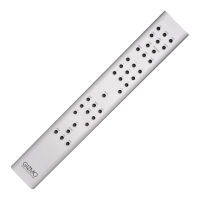

 To Next Page