Gateway Five
iPod, USB, Bluetooth
User Manual
Volkswagen CAN
v1.0
Part 2
GWF-9301-1
6 Handsfree option
Handsfree Option
The Gateway Five is manufactured in two
versions:
• The main model includes Bluetooth handsfree
support.
• The basic version offers a trial of the
handsfree support that allows a total number
of 50 calls. For upgrading the basic version to
the main version please visit
www.dension.com.
Bluetooth music streaming is possible in both
versions.
Connecting a Phone
You can pair a Bluetooth capable mobile phone
for handsfree calls. This can be the same device
as the one paired for music streaming or you can
have a separate phone paired for handsfree calls.
Such pairing is possible by setting the Bluetooth
connection type in the devices accordingly. The
connection types.are: handsfree profile (HFP) and
music streaming (A2DP). Please note that not all
Bluetooth capable mobile phones support setting
the Bluetooth connection type. Such phones
typically pair for handsfree and music streaming (if
supported).
Turn on the Bluetooth option, search for available
devices, select Gateway Five and enter 0000 for
connection. When a phone is connected you can
see the connection status on the phone screen.
7 Handsfree option (continued)
Using the Phone Menu
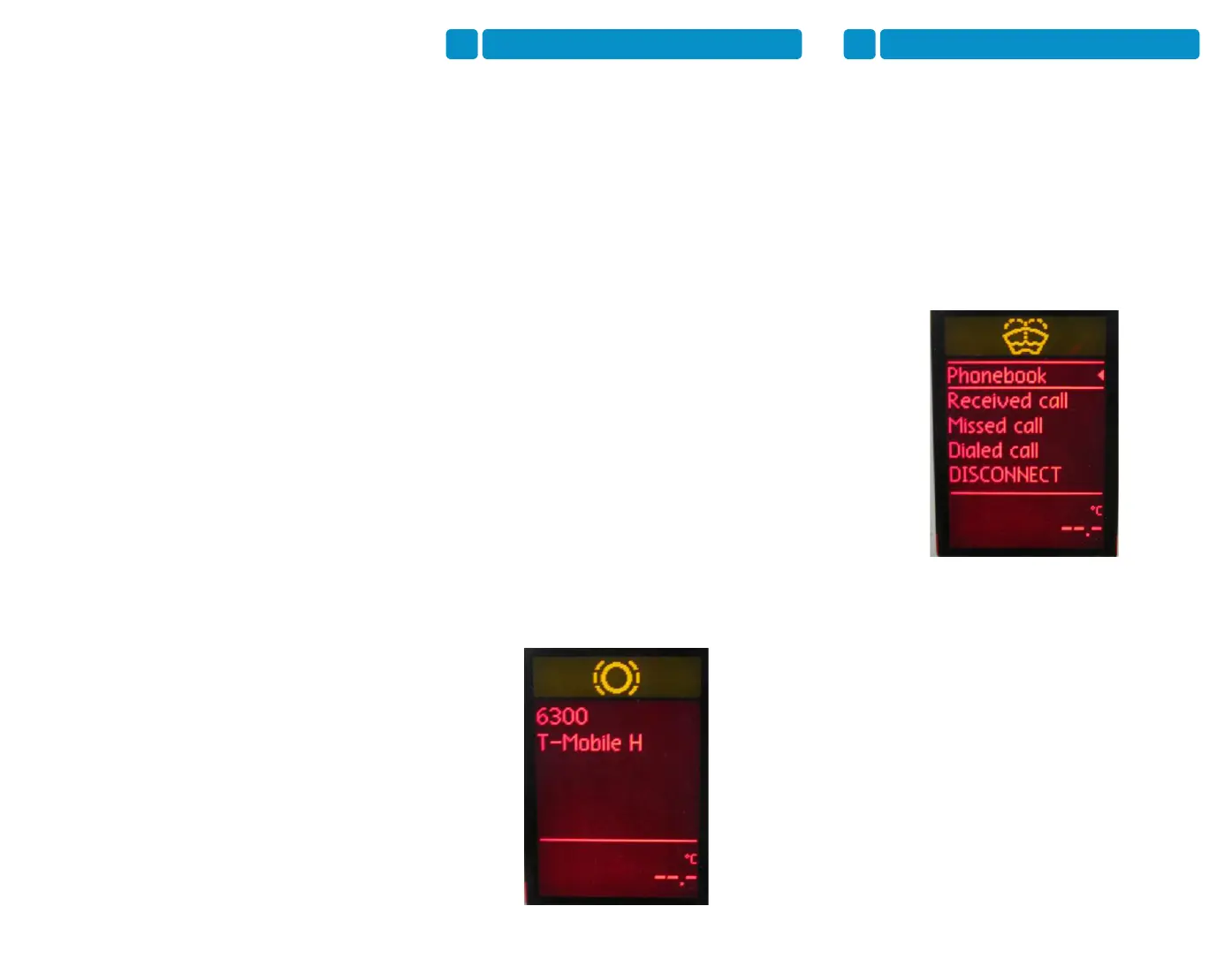
You can enter the phone menu by pressing OK
when on the phone screen. You will see the
following menu items.
• Phonebook: you can select a phone number
from your address book to initiate a call.
Contacts are shown in alphabetical groups,
followed by all contacts in alphabetical order.
• Received / Missed / Dialled Call: provides
access to the respective call logs.
• DISCONNECT: Disconnects the paired
phone.
Please note that for consistency reasons the
Gateway Five does not store the phone numbers
therefore your phone is synchronised again all the
time when it connects to the gateway.
Synchronisation is possible up to 1000 phone
numbers (entries with multiple phone numbers
synchronise as multiple entries).
Receiving and Making Phone Calls
When receiving an incoming call, the caller
number (if provided) or the corresponding contact
name in your phone book are displayed. You can
answer the call by pressing the Phone button on
the steering wheel or the OK button on the stalk
control (whichever is present). The music or radio
gets muted and the audio of the call is directed to
the speakers.



 To Next Page
 Loading...