ENG-10
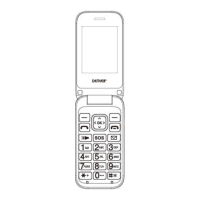
call button; to end the call, press the red end call key.
Call a number from phonebook: From the main screen, press
the upper right selection key will automatically open the
phonebook. Scroll through contacts with the UP/DOWN keys
and press the green call button to call the desired contact.
Call a number from the call log: From the main screen, press
the green call key, the missed, received, and outgoing calls
will be automatically displayed.
Scroll with UP/Down keys and press the green call button when
you find the number that you want to call.
During a phone call: When you are on the phone, the following
functions can be used:
H-Free: Turn on/off hands-free option.
Hold: The current call is on hold and it’s possible to reply to an
incoming call.
End single call: Press to end the current call.
Phonebook: It is possible searching phone numbers during a
phone call.
Messaging: Enter the message screen.
Calls history: It allows to display the calls list.
Mute:The microphone is turned off and the spokesperson will


 To Next Page
 Loading...