Need help?
Do you have a question about the Denver BTL-360 and is the answer not in the manual?
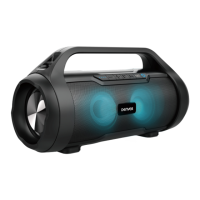
The Denver BTL-360 is a portable Bluetooth speaker designed for audio playback and hands-free communication. It features a robust design with integrated lighting modes, making it suitable for various environments. The speaker is equipped with multiple input options, including Bluetooth, Aux-in, USB, and Micro SD/TF card slots, offering versatile connectivity for different audio sources.
The primary function of the Denver BTL-360 is to provide wireless audio playback via Bluetooth. Users can easily pair their external devices, such as smartphones or tablets, to stream music or other audio content. The speaker supports Bluetooth version V5.3, ensuring a stable and efficient wireless connection within a range of approximately 10 meters (30 feet). The device also includes a hands-free function, allowing users to answer calls directly through the speaker, enhancing its utility for communication.
In addition to Bluetooth, the BTL-360 offers wired connectivity through an Aux-in port, enabling connection to devices without Bluetooth capabilities. For local media playback, the speaker is equipped with a USB port and a Micro SD/TF card slot, allowing users to play MP3 files directly from a USB drive or a Micro SD card. This feature provides flexibility for users who prefer to store their music locally.
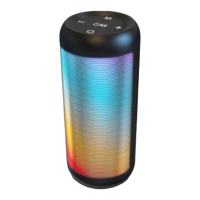
A distinctive feature of the BTL-360 is its integrated lighting modes. These modes provide visual effects that can enhance the listening experience, making the speaker suitable for parties or ambient settings. Users can cycle through different lighting options to match their mood or environment.
The speaker also supports True Wireless Stereo (TWS) connection, allowing two BTL-360 units to be paired together for a more immersive stereo sound experience. This feature is activated by double-pressing the mode button on both speakers, expanding the audio output and creating a wider soundstage.
Operating the Denver BTL-360 is straightforward. To power the unit on or off, users simply long-press the ON/OFF button. An alert tone will confirm the power status.
For Bluetooth operation, if the device has been previously connected, it will automatically search for and reconnect to the last paired device upon power-on. For first-time pairing, users need to turn on the speaker, activate Bluetooth on their external device, and select "Denver BTL-360" from the list of available devices. A successful pairing will be indicated by an alert tone, and the unit will remain paired unless manually unpaired.
Playing MP3 files from a Micro SD card or USB device involves inserting the storage medium into the respective slot. The speaker will then automatically detect and play the audio files. Users can control playback (play, pause, skip tracks) using the dedicated buttons on the speaker.
The speaker's controls are intuitively laid out. The VOL+ button also serves as the "Next track" control, while the VOL- button functions as the "Previous track" control. The mode button allows users to switch between Bluetooth, Aux-in, USB, and TF/TWS modes. The lighting mode button enables users to select their preferred visual effect.
Charging the BTL-360 is done via the supplied Type-C USB cable. Users should plug the Type-C side into the speaker's USB-C charging port and the other USB side into a PC, wall charger, or any other 5V charger.
Proper maintenance of the Denver BTL-360 is crucial for its longevity and optimal performance. Users are advised to avoid using abrasive cleaners, as these can damage the product's surface. Instead, a soft, dry cloth should be used for cleaning.
The speaker should be kept away from extreme conditions. This includes avoiding exposure to fire or heat sources, such as cooking stoves, as well as direct sunlight for prolonged periods. The operating and storage temperature range for the product is between 0°C and 40°C; temperatures outside this range may affect its functionality.
It is important to protect the device from water and moisture. The BTL-360 is not waterproof, and ingress of water or foreign objects can lead to electric shock or fire. If such an event occurs, usage should be stopped immediately.
Users should never attempt to disassemble or modify the product, as it contains no user-serviceable components. Any repairs or service should only be performed by qualified personnel to prevent electric shock and maintain warranty validity.
For long-term storage, if the speaker will not be used for an extended period, it should be stored in a dry environment. Additionally, it is recommended to charge the speaker at least once a month to preserve battery life and prevent degradation. This practice helps to avoid extreme temperatures and dust accumulation, which can negatively impact the device's performance and lifespan.
The product is designed with recyclability in mind. At the end of its life, the device and its accessories should be disposed of responsibly. Users are encouraged to utilize designated collection points for electronic waste and batteries, or to consider repairing or donating the device to extend its useful life. This aligns with environmental guidelines to ensure proper recycling and minimize harm to the environment.


 To Next Page
 General