EasyManua.ls Logo

Denver CR-420 - User Manual

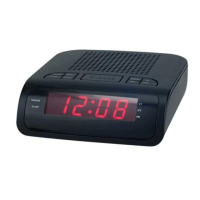
Denver CR-420
5 pages
Print Icon
To Next Page IconTo Next Page
Loading...
USER MANUAL
CR-420
WWW.DENVER-ELECTRONICS.COM
Please read this user manual carefully before start using the product.
Question and Answer IconNeed help?

Do you have a question about the Denver CR-420 and is the answer not in the manual?

Summary

Controls and Indicators

Device Controls Overview

Identifies and describes the function of each button on the device.

Device Components and Signals

Lists and explains the battery compartment, antenna, power cord, and alarm signals.

Preparation for Use

Alarm Clock Operation

Setting the Clock Time

Instructions on how to set the current time on the clock radio.

Setting the Alarm Time

Procedure to set dual alarms with buzzer or radio and activate them.

Radio Operations

General Radio Functions

Basic functions for turning the radio on/off and tuning stations.

Volume and Reception

How to adjust volume and improve radio reception using the antenna.

Station Memory and Sleep Mode

Guide to storing stations, recalling them, and setting sleep timer.

Display Dimmer

How to adjust the display brightness between low and high settings.

General Usage Precautions

Health and Environmental Information

Disposal Guidelines

Information on correct disposal of electronic waste and collection points.

Importer Details

Details about the importer and their contact information.

Summary

Controls and Indicators

Device Controls Overview

Identifies and describes the function of each button on the device.

Device Components and Signals

Lists and explains the battery compartment, antenna, power cord, and alarm signals.

Preparation for Use

Alarm Clock Operation

Setting the Clock Time

Instructions on how to set the current time on the clock radio.

Setting the Alarm Time

Procedure to set dual alarms with buzzer or radio and activate them.

Radio Operations

General Radio Functions

Basic functions for turning the radio on/off and tuning stations.

Volume and Reception

How to adjust volume and improve radio reception using the antenna.

Station Memory and Sleep Mode

Guide to storing stations, recalling them, and setting sleep timer.

Display Dimmer

How to adjust the display brightness between low and high settings.

General Usage Precautions

Health and Environmental Information

Disposal Guidelines

Information on correct disposal of electronic waste and collection points.

Importer Details

Details about the importer and their contact information.

Denver CR-420 Specifications

General IconGeneral
TypeClock Radio
DisplayLED
Radio bands supportedFM
Alarm functionYes
Power sourceAC power

Related product manuals