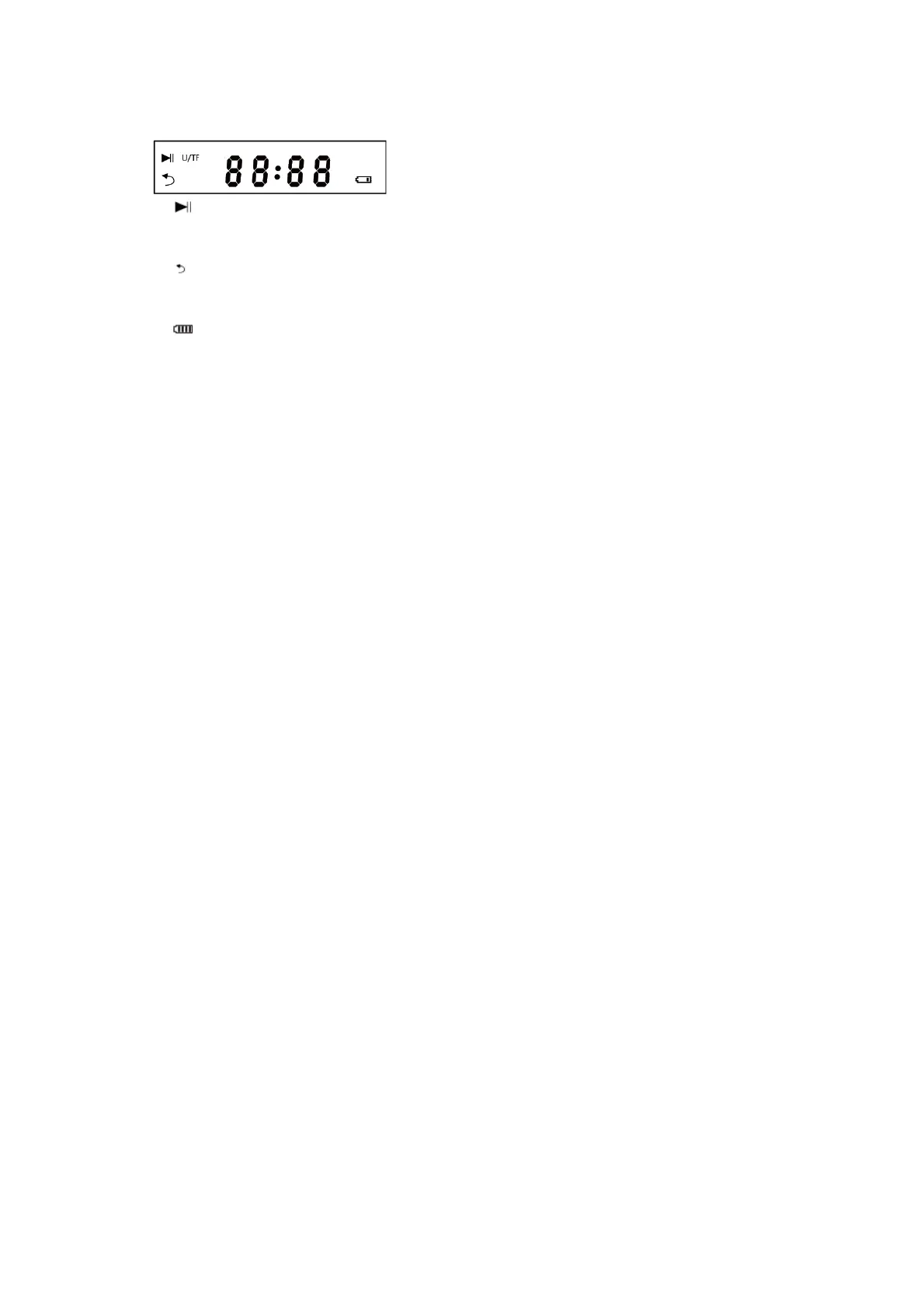
Screen Description
1. When reading Memory Card and card reading, this symbol means pause; Muting when Aux in or
FM mode, the display light flash once when muting.
2. USB/TF: Lighting when playing USB disk or TF card.
3. Single Repeat;
4. 88:88: Line input display "AUX"; The radio status, digital display of current channel; Display the
playing time when playing TF Card and U disk
5. When the product is low power, it should be inserted into the adapter to charge the device; Low
power display after the volume will drop to 70%
Function description
Commonly used functional description:
1. Master volume: Turn left and right to adjust the product master volume
2. The microphone volume: in the condition of inserted into the microphone, turn left and right
adjusting mic volume.
3. The reverberation adjusts: in the condition of inserted into the microphone, left-right rotating
microphone.
4. U disk volume balancing: in the condition of U disk playing, adjust to the left to let volume of USB1
disk increase, decrease the volume in USB2 disk. Adjust to the right to let volume of USB2 disk
increase, decrease the volume in USB1 disk.
5. Model 1: short press the switch BT-USB1-TF-FM-AUX
6. Model 2: short press the switch BT - USB2
7. EQ adjustment: in any state, slide up and down can adjust the 5 kinds of frequency respectively.


 To Next Page
 Loading...