7
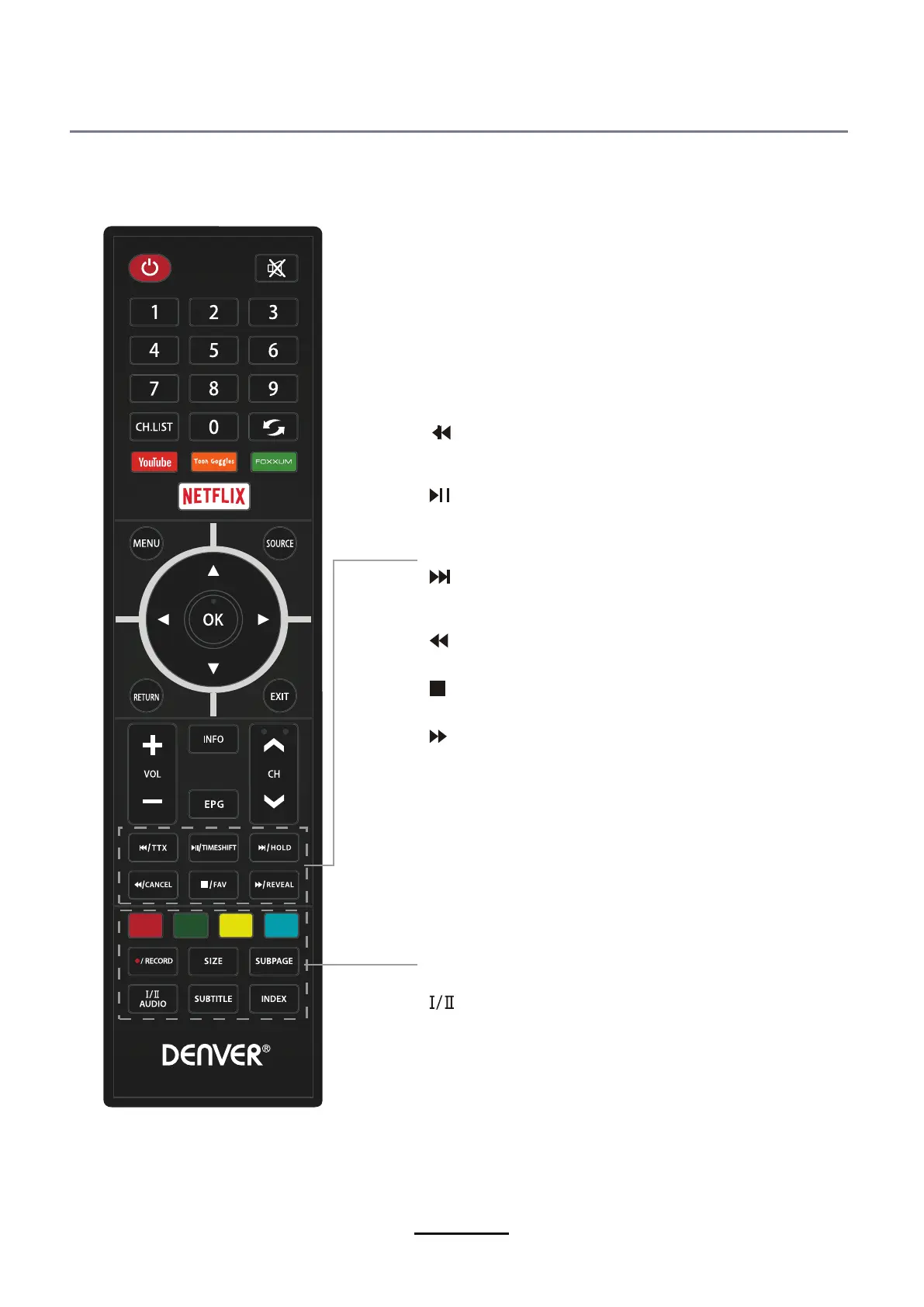
CANCEL:
Cancel the Teletext display.
Reverse playback rapidly.
:
TTX:Enter the Teletext.
: Skip to the beginning of the previous
chapter/track/photo.
:
Start playback or pause.
TIMESHIFT:
Press the button to pause current
DTV program and start record background
(Used for models with DTV function only).
HOLD: Hold or carry on the current subpage.
:
Skip to the beginning of the next chapter/
track/photo.
:
Advance playback rapidly.
REVEAL:
Reveal any hidden text.
press again to see the bottom half of page double
size.Press again for normal siza.
SIZE:
Press to see top half of page double size,
: Stop the playback.
FAV:Display the favorite channel list.
to cancel.
SUBPAGE:Press to enter subpages,pressagain
RECORD: Start to record.
INDEX:Go to index.
mode and DVD mode.
SUBTITLE:Turn on/off the subtitle dispaly in DTV
AUDIO:Switch the available sound-track.



 To Next Page