ENG 11
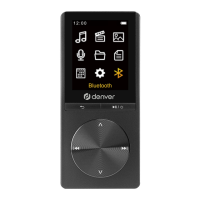
SelectBluetooth switch control, and press the
buttontoenterthesubmenu:
-Bluetoothopen
-Bluetoothoff
SelectBluetooth open, the icon will appear on the
player,andthenselect"Selectfordevice".Turnonthe
Bluetoothdeviceyouwanttoconnectwith,theplayer
willshowtheBluetoothdevicenameandthen
connect.Afterbeingconnected,theBluetoothdevice
willplaybackthesongswhichtheMP4playerplays.
Warning!
-Lithiumbatteryinside!
-Donottrytoopentheproduct!
-Donotexposetoheat,water,moistureordirect
sunlight!
- Only charge with the original charger supplied
withthisproduct!
Searchfordevice
Device List
All songs



 To Next Page