ENG10
- Language
- Information
- Formatthedevice
- Factorysettings
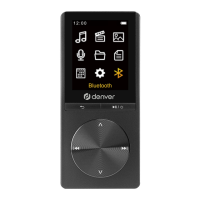
Bluetooth
PressthebuttontoentertheBluetoothmenu,
where you can press the button to enter the
submenus:
Bluetoothswitchcontrol
Searchfordevice
Device List
All songs
SelectBluetooth switch control, and press the
buttontoenterthesubmenu:
- Bluetoothopen
- Bluetoothoff
SelectBluetooth open, the icon will appear on the
player,andthenselect"Selectfordevice".Turnonthe
Bluetoothdeviceyouwanttoconnectwith,theplayer
willshowtheBluetoothdevicenameandthenconnect.
Afterbeingconnected,theBluetoothdevicewill
playbackthesongswhichtheMP4playerplays.


 To Next Page