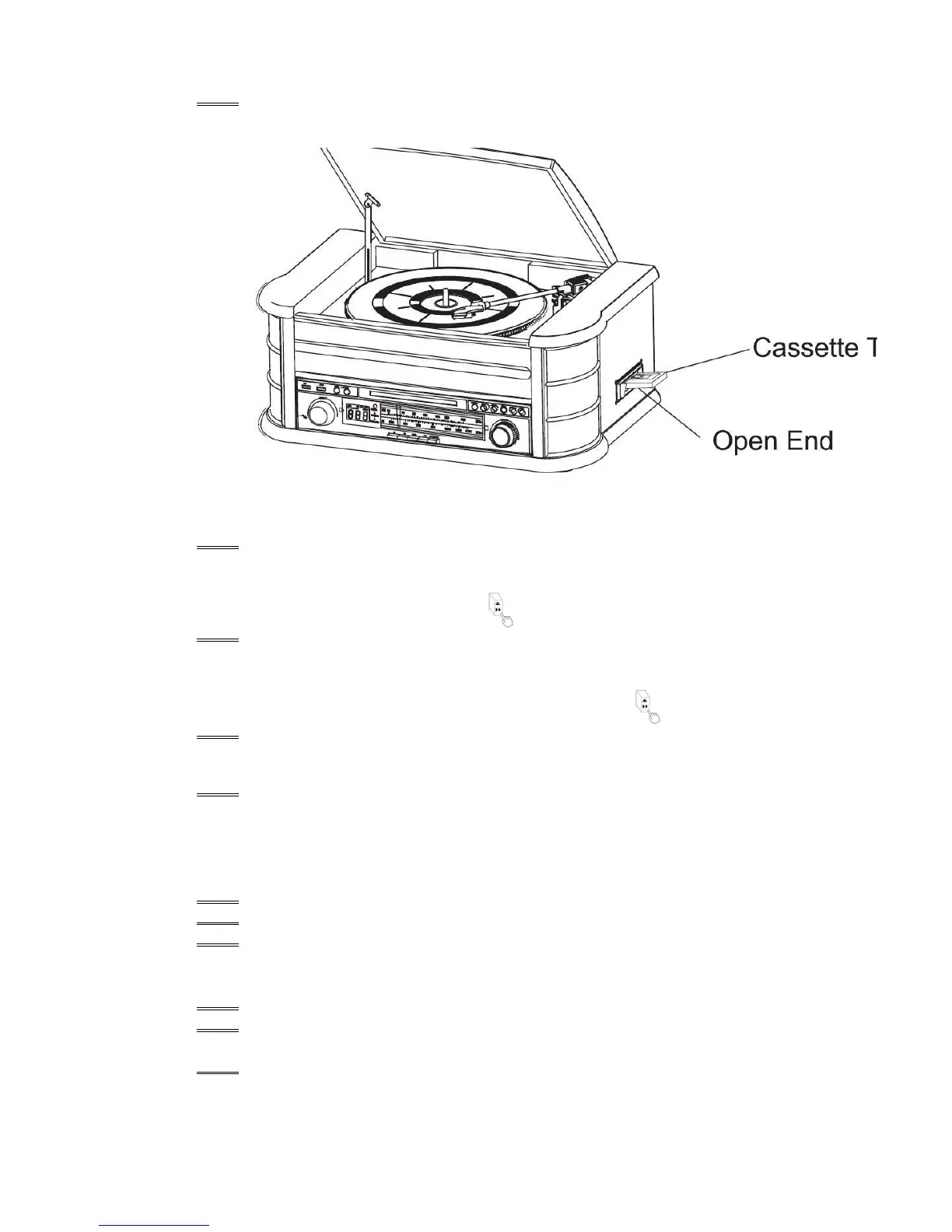
3. Insert your cassette into the slot located on the right side of the cabinet, as shown in the
illustration, with the side you wish to play facing up and the open end on the right side.
4. Cassette playback begins as soon as the tape is inserted. Adjust the VOLUME control to the
desired level.
5. To advance the tape rapidly, depress the button approximately half way. The tape will
move forward rapidly as long as the button is depressed. Normal playback will resume when
the button is released
6. When the tape ends, the player stops automatically. Depress the button completely to
remove the tape from the player. You may depress button to stop playing the tape at any
time.
7. Press POWER again to turn the system off.
PLAYING VINYLS RECORDS
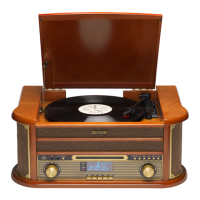
The system includes a full-size, 3 speed, belt-drive turntable. You can play 33, 45 and 78rpm records.
1. Press POWER to turn the system on.
2. Press the PHONO button to enter the PHONO mode.
3. Make sure you have removed the stylus cover from the stylus and have released the
tone arm lock
that
4. secured the tone arm to the tone arm rest.
5. Set the turntable speed selector to appropriate speed 33, 45 or 78rpm. If you are
playing 45 rpm singles, place the 45rpm adapter on the centre spindle.
6. Place your record on the the centre spindle.


 To Next Page