ENG-1
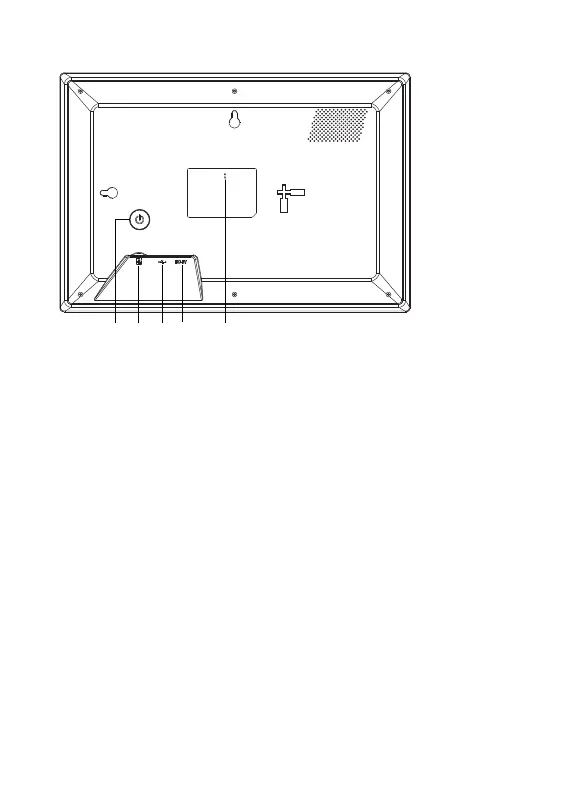
1. POWER
After connecting power adapter, please press and hold power button for approximately 5 seconds (until screen
turns on).
When it is on, press and hold power button for approximately 3 seconds to access reboot or power off menu.
Short press on power button will turn off/onscreen (but leave the photo frame in on position).
2. USB
Connect a USB flash drive. USB is for service use only.
3. RESET
Use a needle or paper clip to reset unit.
4. MicroSD card
Load external max 32GB microSD memory card here.
5. DC
Connect DC adapter to power on the device.
1 34 2 5


 To Next Page