How to use the solar panel?
a. Solar panel specifications
40 W
DC 18 V/2.22 A
2x 5 V/2 A USB ports
21-22%
Monocrystalline silicon
Operating & storage temperature
-20°C to 85°C
b. Instructions for use
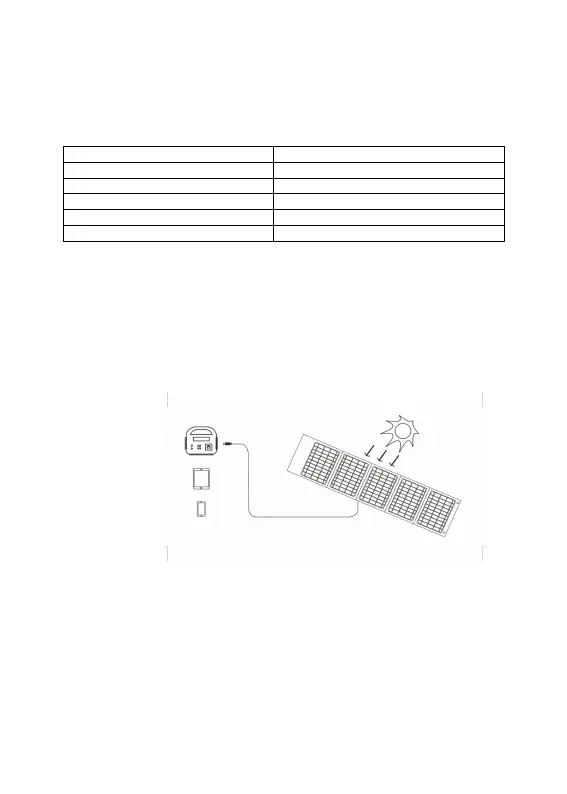
i. Unfold the solar panel and expose it to sunlight. Wait about 5 seconds for the light to go
on.
ii. Connect the devices that need to be charged.
iii. Check the device charge status. If charging is unstable, try adjusting the charger’s
position to direct sunlight.
iv. If sunlight is not sufficient, try using the other power source.
.
Charging output
SunlightPower station
Tablet (not included)
Mobile phone (not included)
ENG
7
Solar capacity


 To Next Page