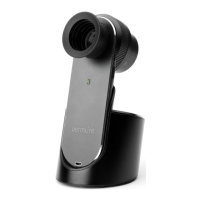
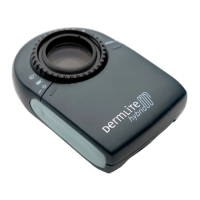
Set the base on a level surface. Place the DermLite onto the base, and
the “3” will illuminate red to indicate that the DermLite DL3N is being
charged. When the lithium battery is fully charged and either in its base
or outside its base and powered on, the “3” is green and the device will
allow up to 2 hours of continuous operation, or enough power for imag-
ing approximately 600 lesions at 30 seconds per examination. If less than
25% battery life remains, the “3” will turn orange.
After approximately 1,000 charges, the battery’s capacity will diminish
and the battery may need to be replaced. To remove the battery, slide
the rubber handle (G) back and completely off the device. Disconnect the
small white battery plug and remove the battery. Insert a new battery
and reconnect the battery plug. Slide the rubber handle securely onto
the device.
CAUTION: Your DermLite DL3N uses a special lithium battery, which
can only be purchased from 3Gen or from an authorized 3Gen dealer.
Do not under any circumstances use another battery other than the one
designed for this unit. Doing so could result in damage to the unit. Also,
do not under any circumstances use another charger other than the one
supplied with the unit.
Using the Lanyard
CAUTION: Lanyards pose a strangulation risk. Use with caution.
Run the short, thin portion string through the eyelet (H) located at the
end of the device. Feed the other end of the lanyard through the loop
made by the thin string (I). Separate the DermLite from the lanyard by
squeezing the snap connector (J).
Troubleshooting
Please check our website (www.dermlite.com) for the most current trou-
bleshooting information. If your DermLite requires servicing, please go
to the “Service & Support” pages at www.dermlite.com, where you can
complete a “Repair Request” form. Or, contact your local 3Gen dealer.
No Light
Fully recharge the battery and check again. If the condition persists, your
DermLite may require servicing.
LED Fails
The LEDs used in your DermLite are designed to last over 100,000 hours.
If any one of the LEDs fails, your DermLite requires servicing.
Mechanical Malfunction
Please contact 3Gen to arrange for service.
Care and Maintenance
Your DermLite DL3N is designed for trouble-free operation. There are
no adjustments to be made nor is any special servicing required. Never
attempt to open the device for any reason.
Cleaning and Sterilization
The exterior of your DermLite may be cleaned or disinfected by wiping it
with Isopropyl alcohol (70% vol.). Do not use alcohol or disinfectants in
the optical areas of the unit. Do not use abrasive material on any part of
the equipment or immerse the device in liquid. Do not autoclave.
Cleaning the Lens and the Polarizers
The lens and the polarizing filters should be treated as high quality pho-
tographic equipment and should be cleaned with standard lens cleaning
equipment and protected from harmful chemicals.
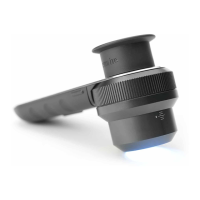
DermLite DL3N components include:
Twenty-eight 3mm LEDs, four-element 25mm lens with 10x magnifica-
tion, cross-polarized and non-polarized illumination, PigmentBoost™,
retractable faceplate spacer with 10mm scale, 28 mm eyepiece, lanyard
Warranty
5 years for parts and labor.
Serial number and company information are located inside the battery
compartment.


 To Next Page
 Loading...