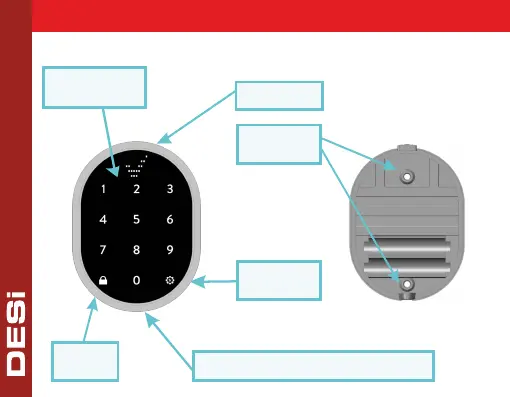
1. PARTS and INSTALLATION
2
Display
Mounting
Holes
Touch
Buttons
Settings
Button
Lock
Button
Screw for Changing Batteries
You can install the device by using two
screw holes shown on the below. If the
device will be used in a secure place like
an office in a secured building, it can be
placed easily by using 2-way stickers
provided with the product.



 To Next Page