TROUBLESHOOTING
Only qualified personnel should work on electrical equipment. Working on or
near energized equipment could result in death or serious injury.
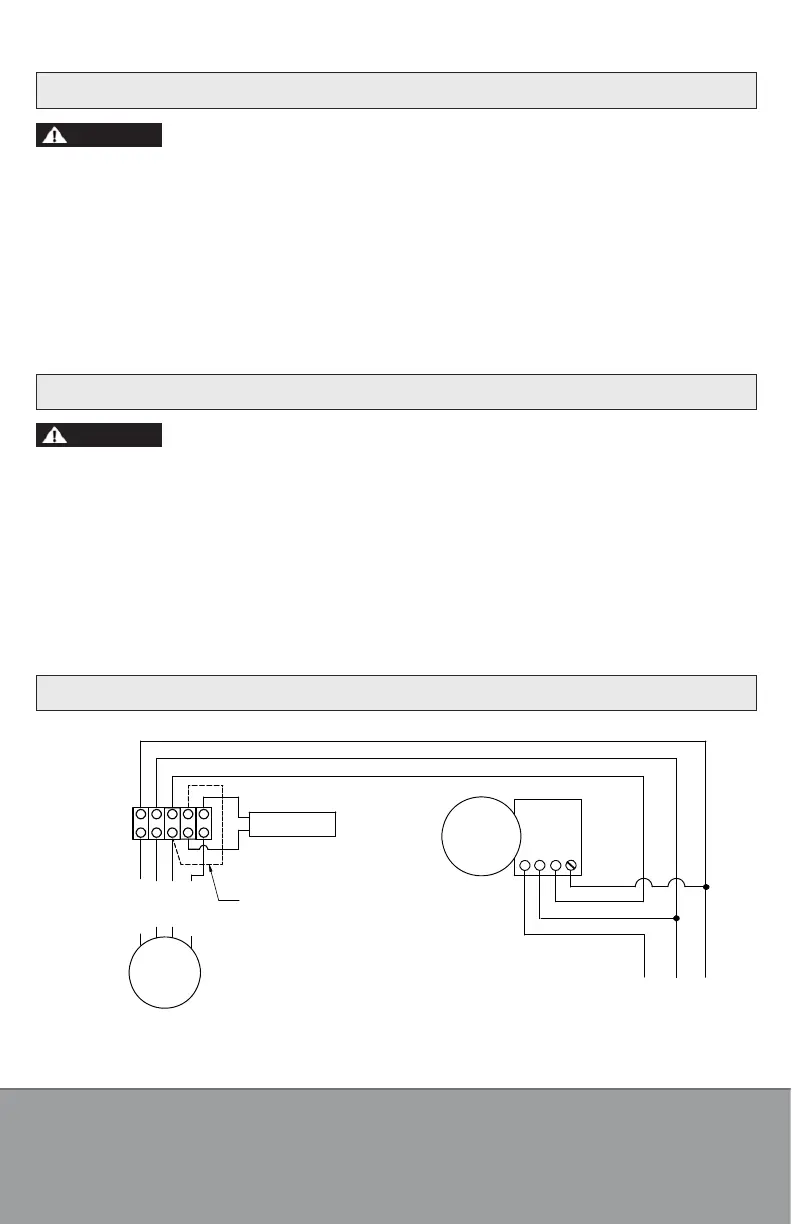
1. If the fan fails to start, consult wiring diagram to ensure proper connection.
2. Check the incoming supply for proper voltage.
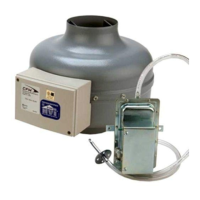
3. Verify that pressure switch diaphragm is vertical and tubing is not crimped.
4. Remove the probe from duct, clear any obstructions and blow gently into it. Reconnect probe.
5. If fan fails to start, lock electrical service to the fan in the “OFF” position.
6. Remove pressure switch. Use a meter to test for continuity across the fan motor leads.
7. Connect the incoming power supply directly to the fan motor. Turn on power to fan.
8. If fan fails to start, please contact factory.
RECOMMENDED MAINTENANCE
Disconnect and lock out power supply before performing any maintenance.
Working on or near energized equipment could result in death or serious injury.
1. Fan bearings are sealed. No additional lubrication is necessary.
2. Periodic inspection, based upon usage, should be performed to ensure that the fan impeller is
not obstructed. The fan should be inspected a minimum of every six (6) months.
3. Excessive fan noise or vibration may indicate an obstructed impeller.
4. To inspect and clean impeller:
a) Remove the duct from the fan inlet and remove any obstruction from the impeller.
b) Reconnect the duct to the fan.
c) Turn power supply on.
WIRING DIAGRAM
1
2
3
GREEN
WHITE
RED
PRESSURE
SWITCH
BLACK
WHITE
GREEN
RED
BLACK
WHITE
GREEN
117 VOLT SUPPLY
FROM FUSE PANE
NOTE: JUMPER MUST BE USED WHEN MOTOR
IS OPERATED WITH PRESSURE SWITCH
GREEN
WHITE
RED
CAPACITOR
ERMINAL
BLOCK
BROWN
BLACK
BLUE
YELLOW
FAN
MOTOR
WHITE JUMPER
DVK-P-I&M-1706
1-800-779-4021 • www.continentalfan.com
Continental Fan Manufacturing Inc.
203 Eggert Road
Bualo, New York 14215
Continental Fan Manufacturing Inc.
6274 Executive Blvd.
Dayton, Ohio 45424
Continental Fan Canada Inc.
12-205 Matheson Blvd E
Mississauga, Ontario L4Z 3E3


 To Previous Page
 Loading...