22
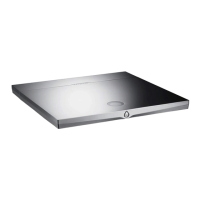
Core Infinity is Expert Pro's smart core that runs the Devialet OS operating system. It will allow you to send all your digital music in high
definition from your computer, tablet or smartphone towards your Expert Pro.
To stream your music, your Expert Pro must be connected, in wired or wireless mode, to the same network as your computer, tablet or
smartphone.
Wired mode
To use the wired mode, simply connect your Expert Pro to your network by using the Ethernet input located at the back of your device.
Wireless mode
To configure your Expert Pro’s wireless streaming features, go to the online configurator at devialet.com/configurator.
To use the Devialet AIR streaming technology, you will have to have previously downloaded the necessary drivers from your dedicated online
space on devialet.com.
To ensure an optimal use, make sure that you are installing your Expert Pro in a place where the network reception is good.
The software updates suggested on the Expert Pro constantly improve your device’s performances, features and user experience.
These new updates are free of charge and are available on the website www.devialet.com in your dedicated online space.
For more information regarding your device’s updating process, please refer to the user manual that can be your dedicated
online space at devialet.com.
4 GETTING CONNECTED
5 SOFTWARE UPDATE


 To Next Page
 Loading...