24 | 25
| DE | Richten Sie WiFi Clone ein
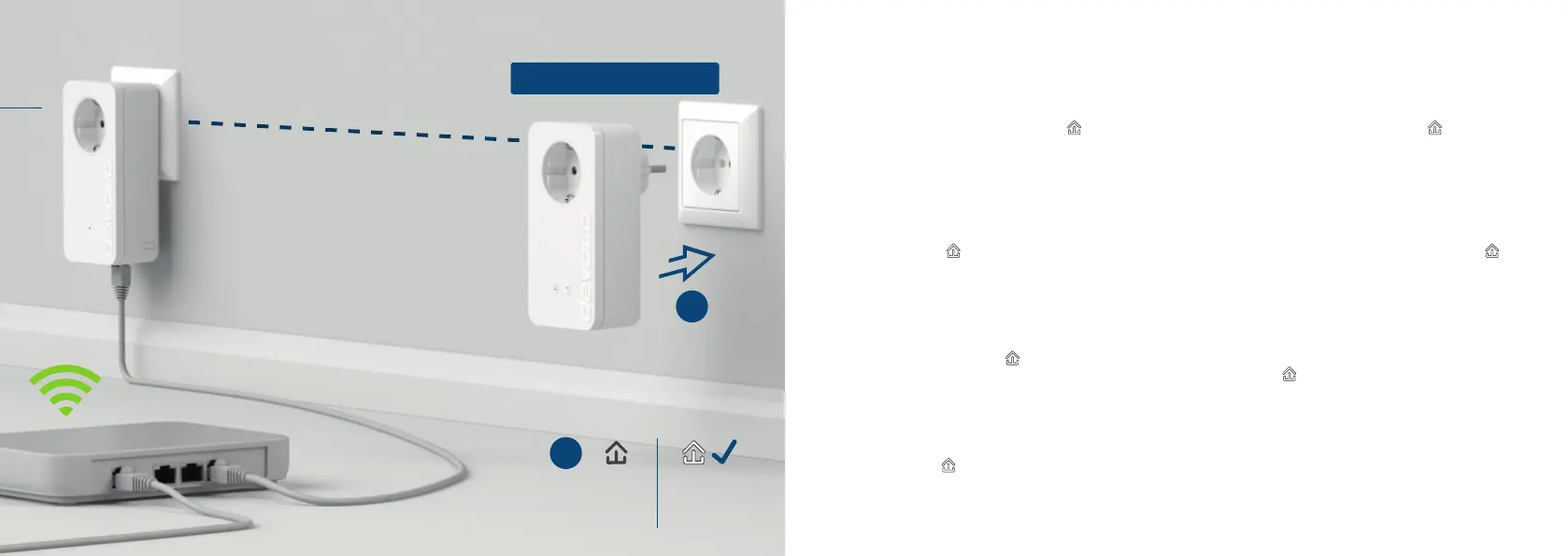
Nehmen Sie den dLAN® 550+ WiFi Adapter, stecken
Sie ihn in eine freie Wandsteckdose in der Nähe
Ihres Routers (max. 10 Meter Entfernung) und war-
ten Sie dann ca. 50 Sekunden bis die
LED weiß
leuchtet.
| GB | Set up WiFi Clone
Take the dLAN® 550+ WiFi adapter, plug it into
an available power socket near your router (max.
distance of 10 metres) and then wait approx. 50
seconds until the
LED lights up in white.
| FR | Congurez WiFi Clone
Prenez l‘adaptateur dLAN® 550+ WiFi et insérez-le
dans une prise de courant murale à proximité de
votre routeur (à 10 mètres maxi) et attendez env. 50
secondes jusqu‘à ce que la
DEL s‘allume en blanc.
| NL | Congureer de WiFi Clone
Neem de dLAN® 550+ WiFi adapter, steek deze in
een beschikbaar stopcontact in de buurt van uw
router (op max. 10 m afstand) en wacht dan ca. 50
seconden tot de
LED wit brandt.
| ES | Congure WiFi Clone
Tome el adaptador dLAN® 550+ WiFi, enchúfelo en
una toma de corriente eléctrica que esté libre cerca
del router (como máx. a 10 metros de distancia) y
espere unos 50 segundos hasta que el
LED se
encienda en blanco.
| PT | Instale o WiFi Clone
Pegue no adaptador dLAN® 550+ WiFi, introduza-
o numa tomada de parede livre próximo do seu
router (no máx. a uma distância de 10 metros) e
aguarde, em seguida, aprox. 50 segundos até o
LED acender a branco.
| IT | Installazione di WiFi Clone
Prendere l‘adattatore dLAN® 550+ WiFi, inserirlo in una
presa elettrica libera, posta nelle vicinanze del router
(distanza max. 10 metri) e attendere per ca. 50 secondi
no a quando il
LED non s‘illumina in bianco.
1
< 50
Sec.
> 50
Sec.
1
2
dLAN® 550+ WiFi
max. 10m













 To Next Page