5
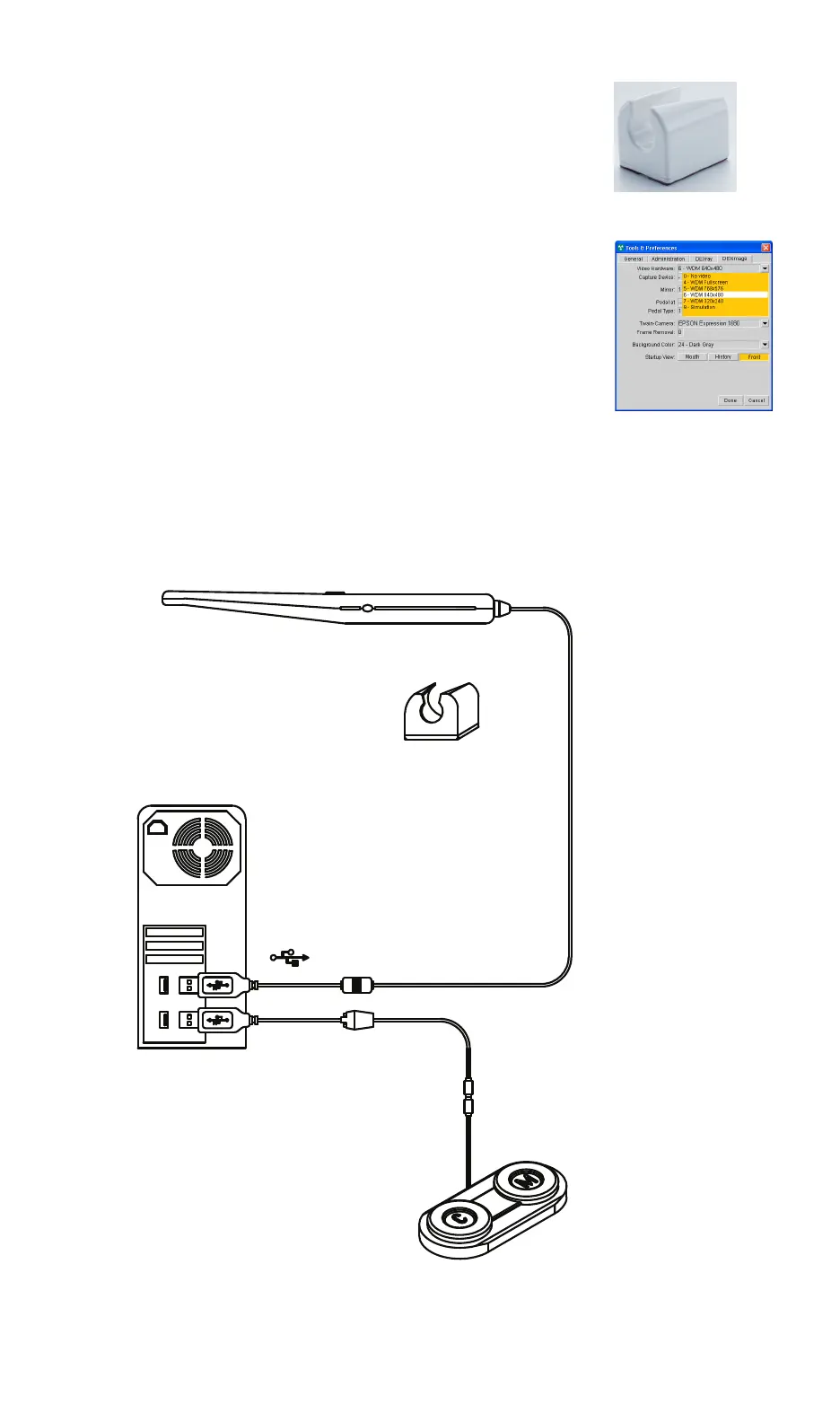
7. Install the camera holster in a place that is convenient
and does not exceed the maximum length of the USB
cable, which is 10 ft. (3 m). The camera holster should
also be positioned so that the cable from the camera
does not create a tripping hazard. To install the holster,
clean the mounting surface, remove the backing from the
double sided-tape on the holster, then firmly press the
holster against the mounting surface. After approximately
two hours, the holster can be used to store the camera.
8.
Launch the DEXIS software. Click the Tools and Prefer-
ences icon and then click the DEXimage tab. Click the
Video Hardware pulldown menu and select 6 - WDM 640
x 480. When you are finished, click Done.
DEXcam 3 Intra-oral Camera
Camera Holster
USB Cable
Foot Switch (Optional)
PC
NOTE: The DEXcam
™
3 intra-oral camera can be operated using the
DEXimage
™
software. Please refer to the DEXIS Manual for
information about installing the DEXIS software and to the
DEXimage chapter in the DEXIS Manual to learn how to operate
the DEXcam 3 camera from the DEXimage software.
NOTE: There are no system, error, or fault messages specific to the
DEXcam
™
3 intra-oral camera.
NOTE: Remove the protective film covering the glass of the viewing
head.
DEXcam3-EN.book Page 5 Monday, January 23, 2017 9:27 AM


 To Next Page