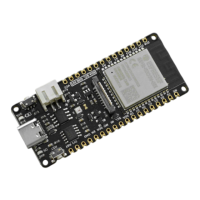
FireBeetle-ESP32 adopts CH340 serial chip that can be used without driver among most devices. If you find the driver is not installed
automatically after plugging into the device, you can install it manually:click to download the CH340 driver program
(https://dfimg.dfrobot.com/nobody/wiki/0e0d6b3864f7163833ec5d7ad4af7632.EXE)
For any questions, advice or cool ideas to share, please visit the DFRobot Forum (https://www.dfrobot.com/forum/).
More Documents
FireBeetle Schematic (https://dfimg.dfrobot.com/nobody/wiki/fd28d987619c16281bdc4f40990e5a1c.PDF)
Get FireBeetle_Board_ESP32_E (https://www.dfrobot.com/product-2195.html) from DFRobot Store or DFRobot Distributor.
(https://www.dfrobot.com/index.php?route=information/distributorslogo)
Turn to the Top


 To Previous Page
 Loading...