6-5 IR-controlled Maqueen Plus
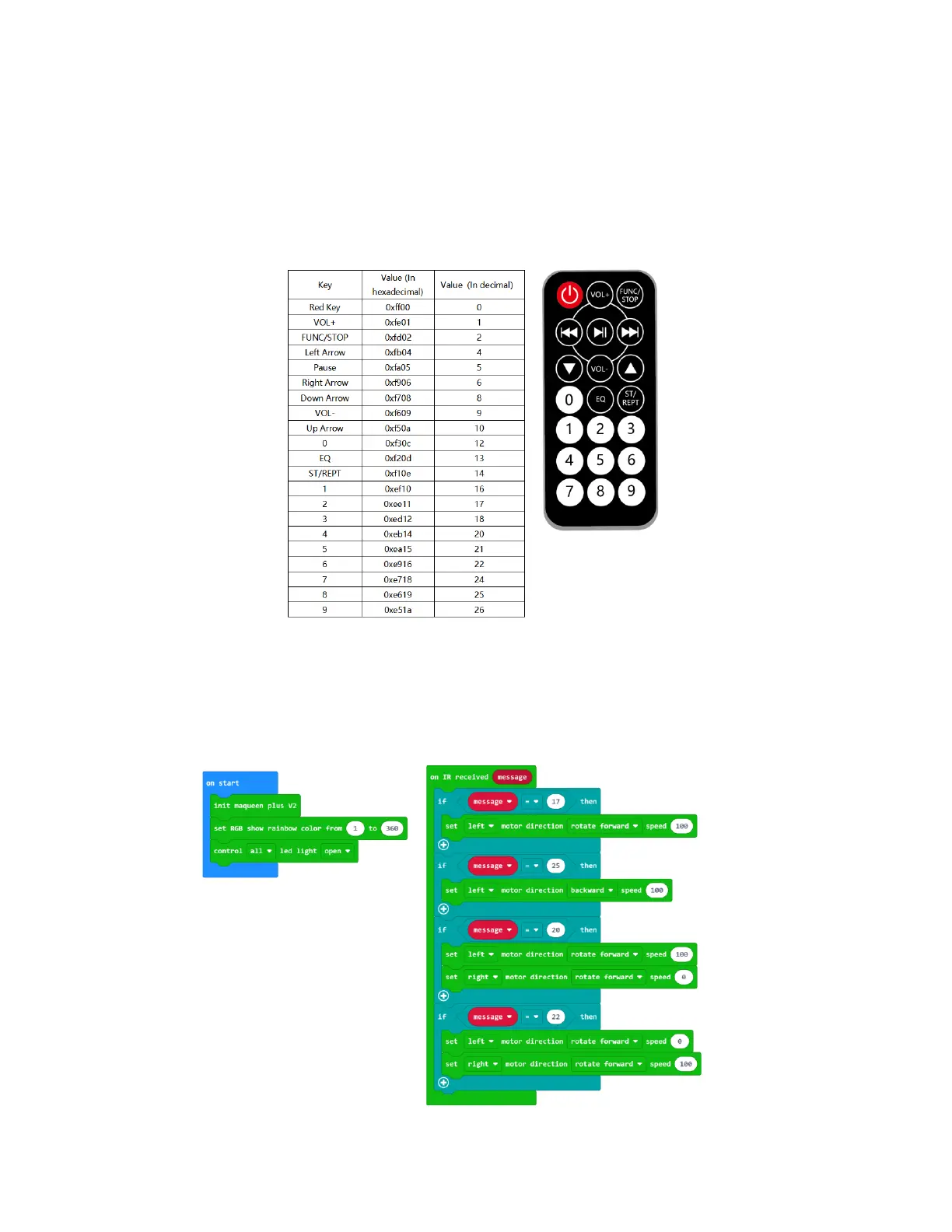
First, let us get familiar with the infrared remote control and key values. Each button on the
infrared remote control corresponds to a unique key value. The key value has two systems of
numeration, hexadecimal and decimal. In Maqueen PlusV2, we use decimal. as the picture
shows:
Example 1: In the following example, we use the four buttons 2, 4, 6, and 8 of the infrared
remote control to control the car to go forward, turn left, turn right, and back separately. At the
same time, we will let the bottom RGB lights and LED car lights light up.
Program Link: https://makecode.microbit.org/_6DgH54fhb3sE


 To Next Page